
Exploring:
How to find the support code
Tap here to view all topics.

Topic & Articles

Close
Still need help?
Could not find what you are looking for? Don't worry! We will do our best to help you.
Contact Us
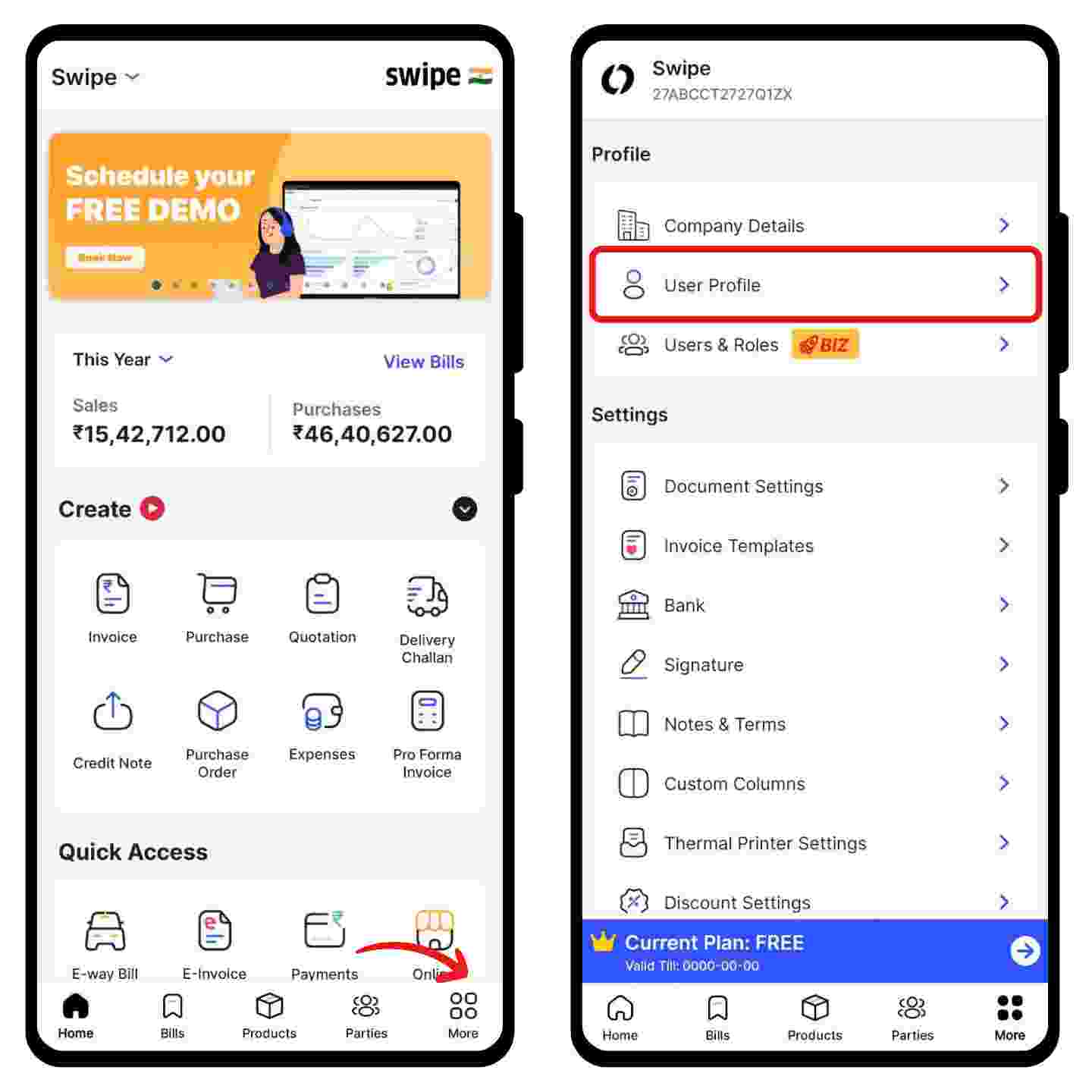
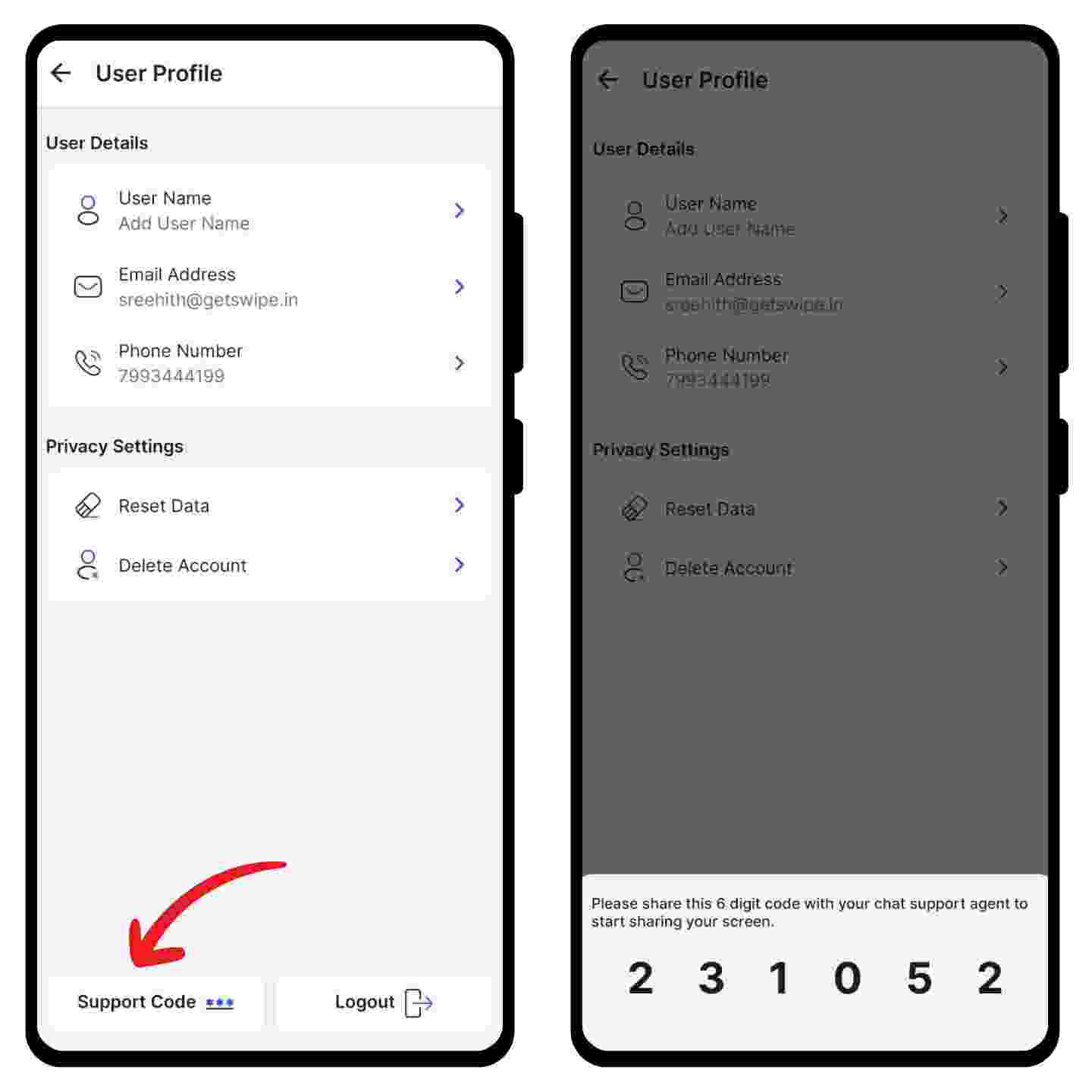
How to find the support code on Android 

Step 1: Go to "More".

Choose the “User Profile” option from the menu. 

Step 2: Click on the Support Code. 

Now, click on the “Support Code” option present below your profile details. 

A pop-up of your 6-digit support code appears at the bottom of the screen. Please share this with our customer success associate to resolve your queries quickly.