Exploring:
How to change document font size
Tap here to view all topics.

Topic & Articles

Close
Still need help?
Could not find what you are looking for? Don't worry! We will do our best to help you.
Contact Us

How to change document font size on web

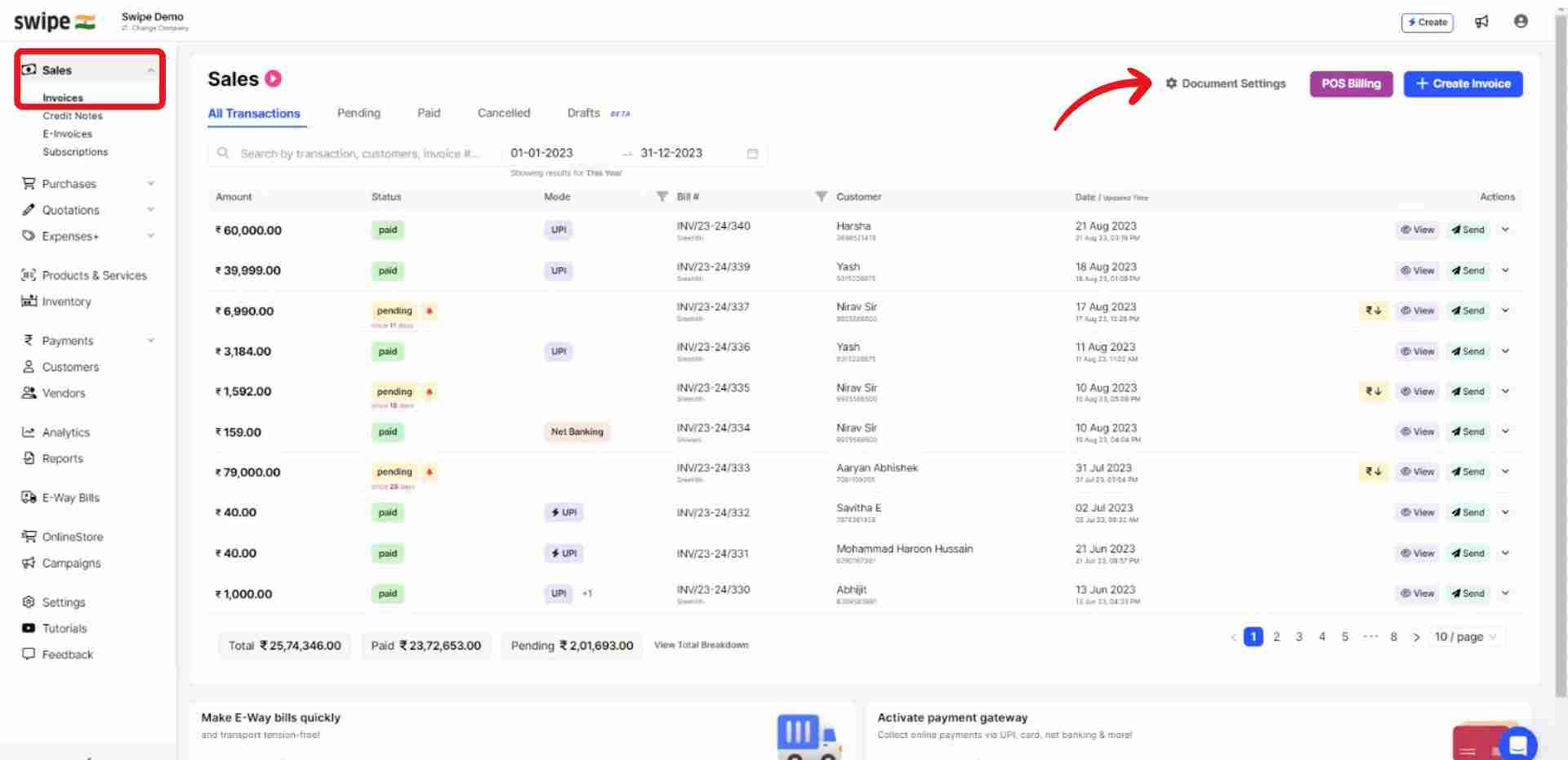
Step 1: Go to “Sales” and select “Invoices”.

Now, click on the “Document Settings” Option at the top right corner of the screen. 

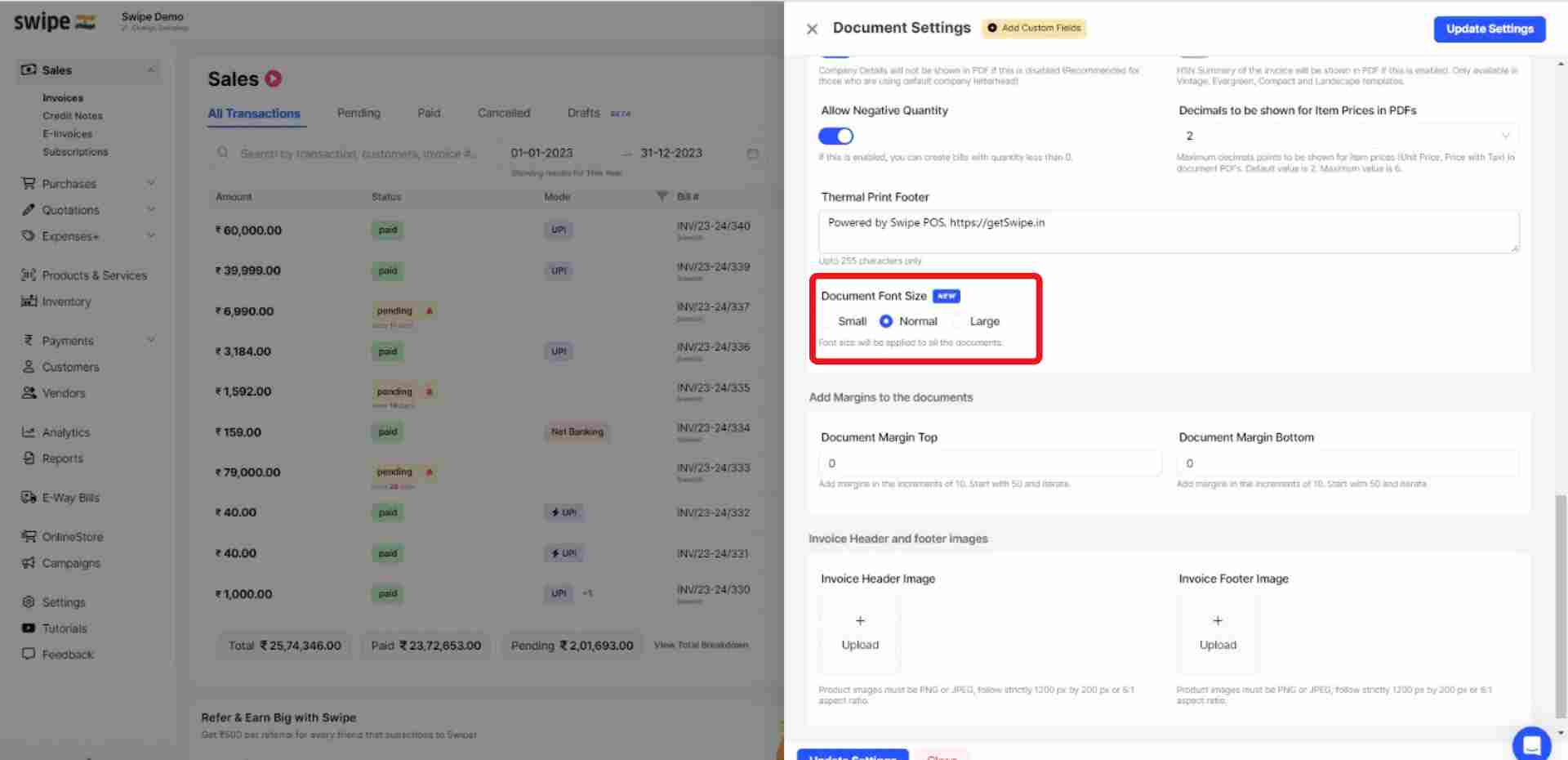
Step 2: Select the font size.

Go to the “Document Font Size” column under the “Additional Customizations” section and select the font size. 

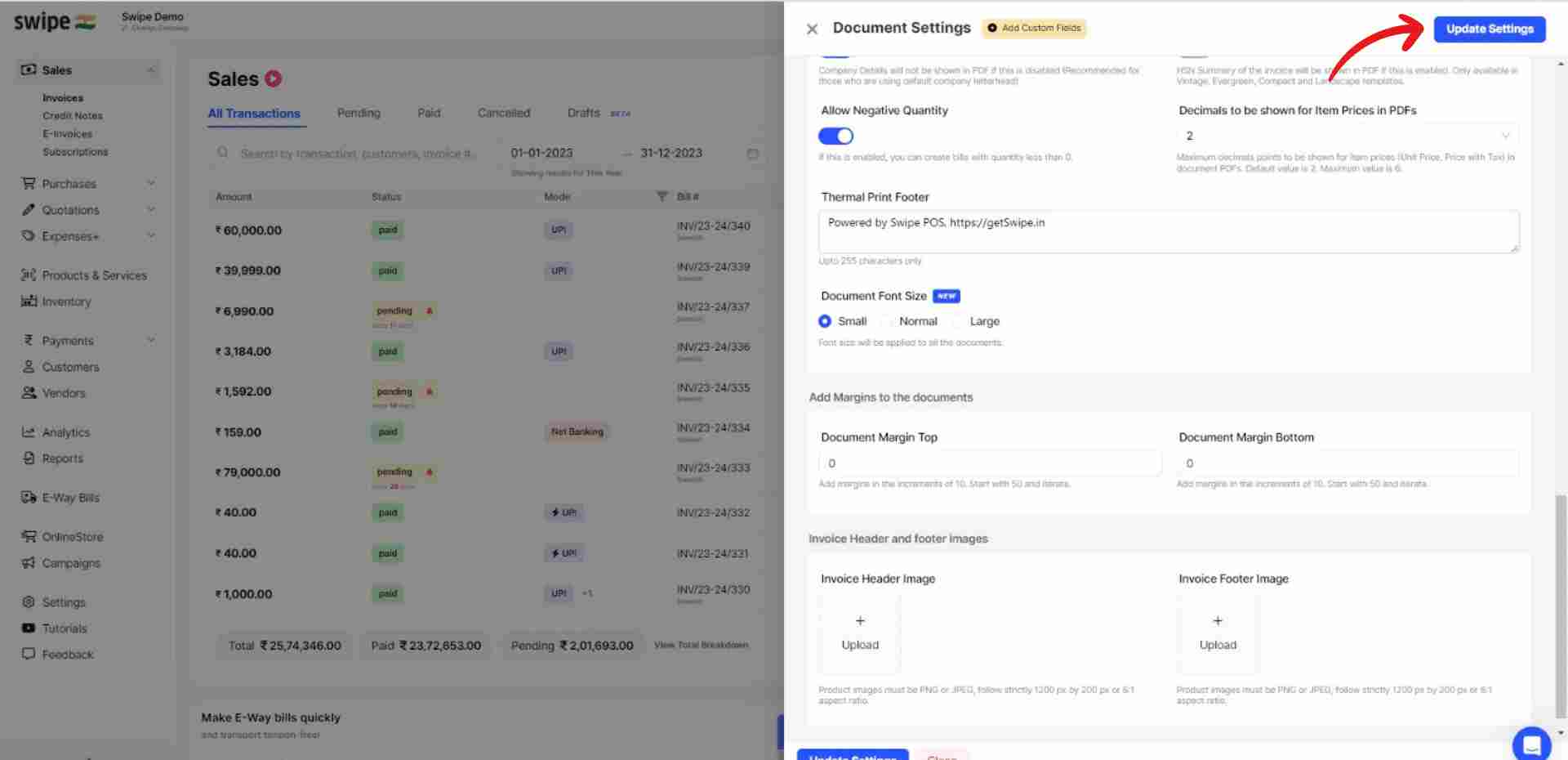
Step 3: Click on “Update Settings”.

Click on the “Update settings” option present at the top right corner of the screen.

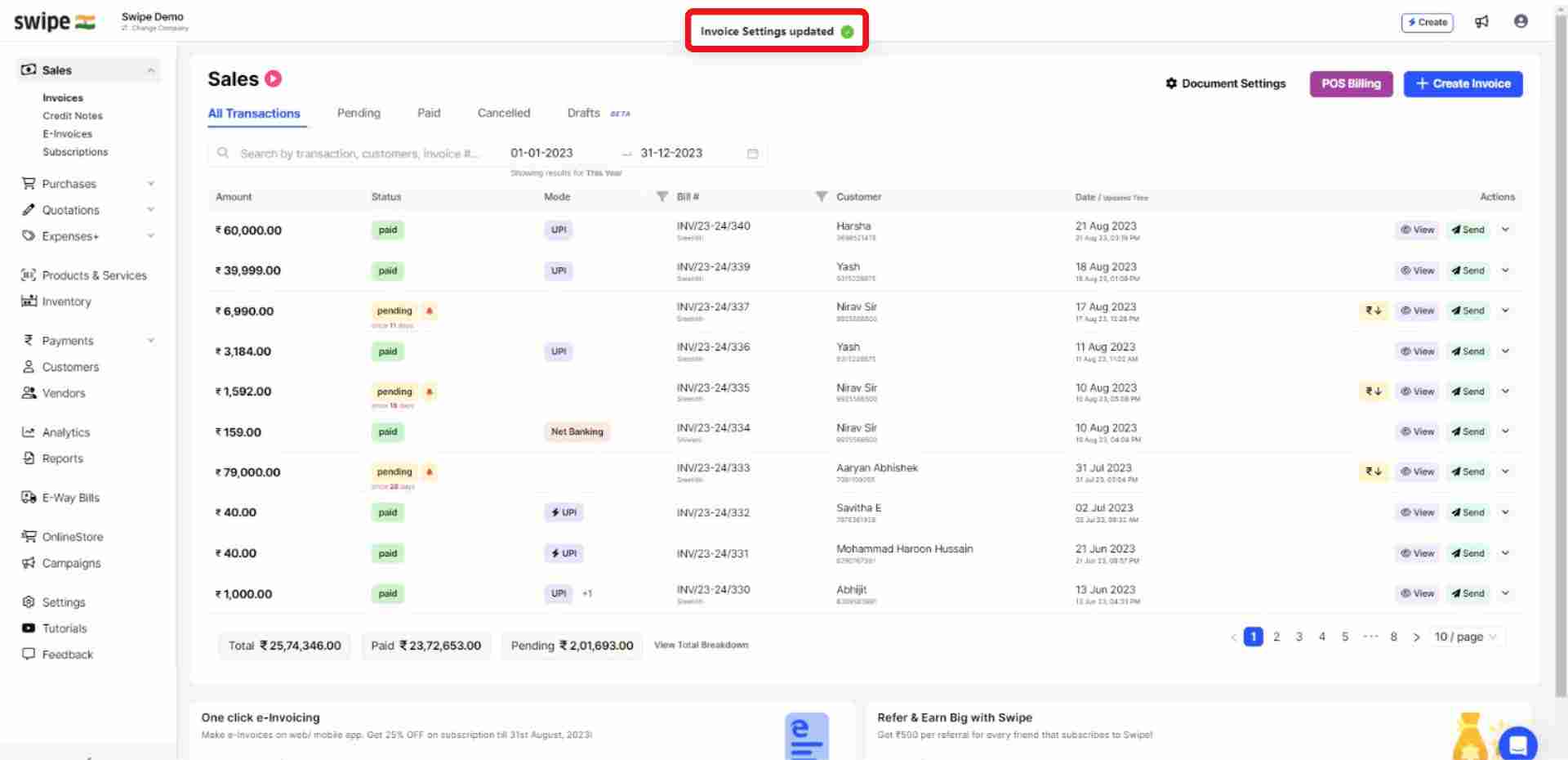
Congratulations! You have successfully changed the document font size, and a pop up appears at the top of the screen informing the same.  

How to change document font size on Android

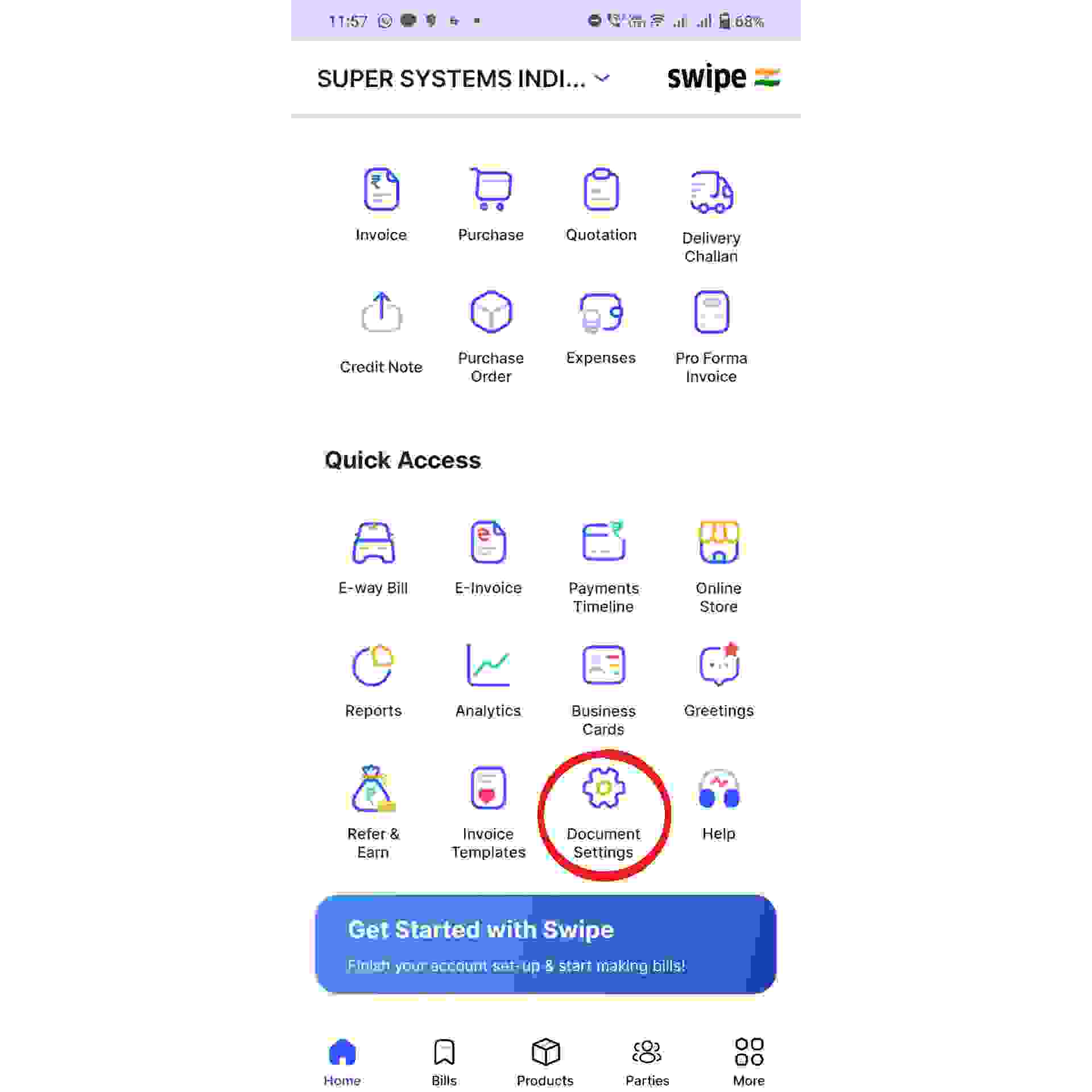
Step 1: Click on the Document Settings icon.

Go to the “Quick Access” section and Click on the “Document Settings” icon present on it.‍

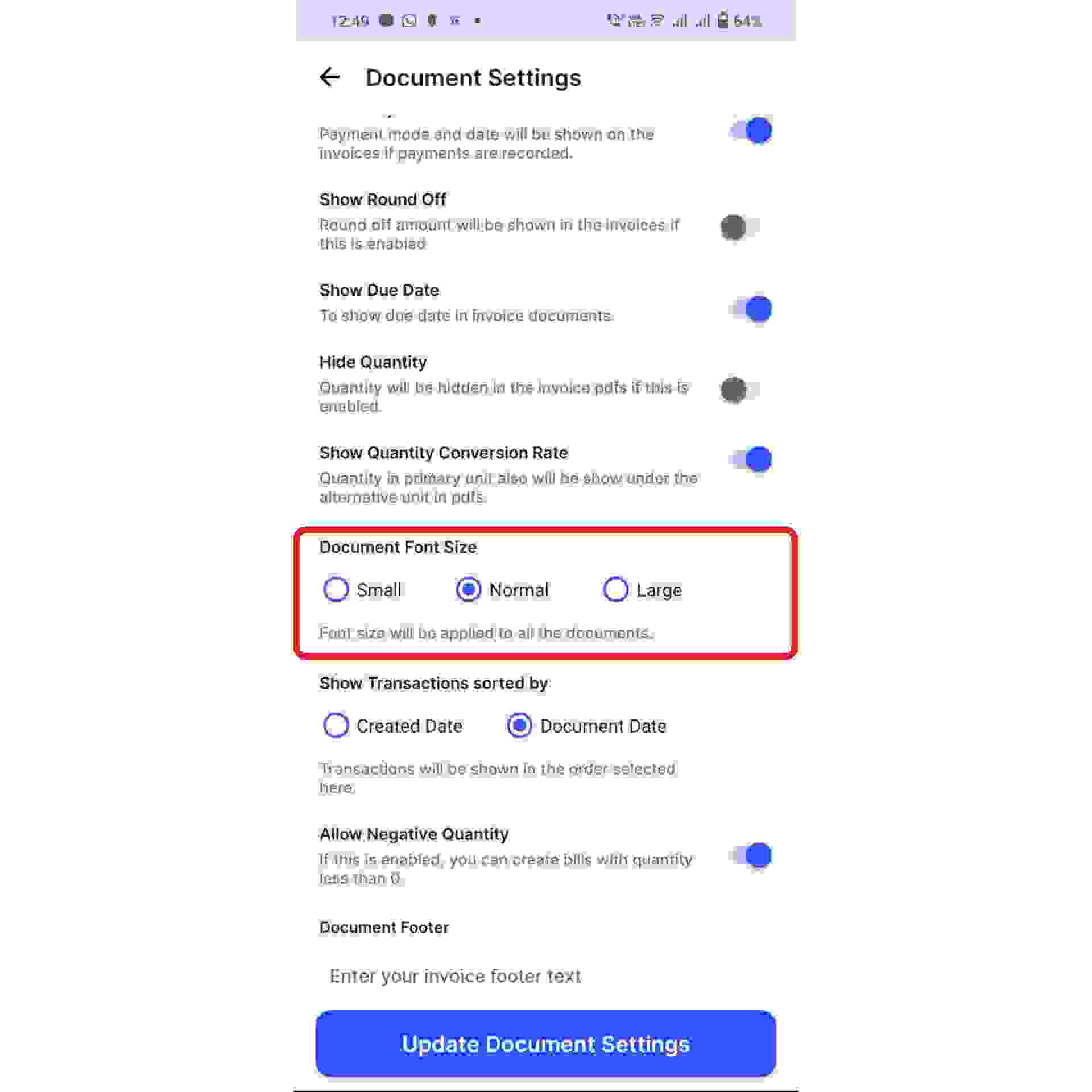
Step 2: Select the font size.

Go to the “Document Font Size” column under the “Additional Customizations” section and select the font size. 

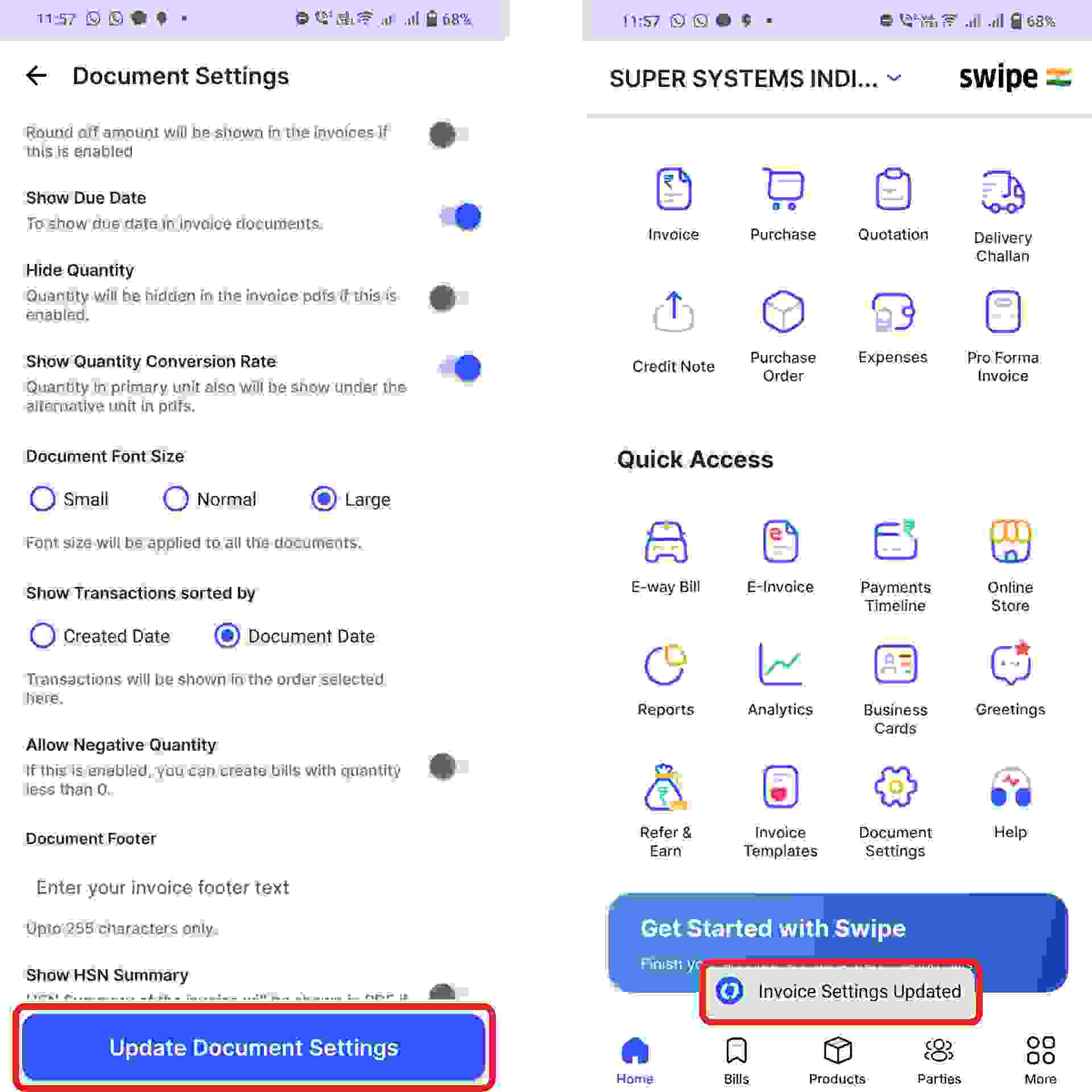
Step 3: Click on “Update Document Settings”.

Click on the “Update Document Settings” option present at the bottom of the screen. 

Congratulations! You have successfully changed the document font size, and a pop up appears at the bottom of the screen informing the same.