4 Best GST-Compliant Expense Trackers for Field Teams Field teams in India face unique expense tracking challenges: offline site visits, multi-location approvals, and GST reconciliation deadlines that demand automated compliance workflows.
This guide compares four GST-compliant expense trackers on offline receipt capture, GSTR-2A reconciliation, Tally integration, and pricing for distributed sales and service teams.
Key Takeaways Field teams require offline receipt capture, automated GSTIN validation, and GSTR-2A reconciliation to claim input tax credits without audit disqualifications Multi-level approval workflows route expense claims through branch managers, regional heads, and finance teams based on policy compliance and budget allocation GST-compliant expense software must capture supplier GSTIN, invoice number, date, taxable amount, CGST/SGST/IGST breakdowns, HSN/SAC codes, and place of supply Integration with Tally, Zoho Books, or QuickBooks enables automatic journal entry creation and ledger sync for approved expense claims Team size, compliance complexity, and accounting ecosystem determine whether mobile-first tools or enterprise platforms deliver better ROI Why Field Teams Need Specialized GST-Compliant Expense Tracking Field teams require software that handles GST-compliant expense capture automatically: tools that validate supplier GSTIN, apply correct tax rates, and generate audit-ready reports for input tax credit claims. Manual systems lose receipts, delay approvals across branch hierarchies, and miss recoverable ITC — specialized software eliminates these friction points while ensuring every expense meets GST Act documentation standards.
Field Team Friction Points: Manual Receipts, Delayed Approvals, GST Reconciliation Errors Manual expense tracking introduces three cost centers: lost receipts, approval bottlenecks, and GST reconciliation failures. Neglecting regular updates can result in lost receipts, forgotten transactions, and a lack of accurate data. When field employees photograph receipts and upload them to spreadsheets, finance teams manually key in supplier names, amounts, and tax details — each step adding error risk. Approval workflows spanning branch, regional, and head-office hierarchies stretch reimbursement cycles from days to weeks, frustrating employees and delaying cash-flow visibility.
GST reconciliation errors surface during audits when finance cannot match expense invoices to GSTR-2A records. Missing supplier GSTIN, incorrect place-of-supply codes, or mismatched tax rates disqualify input tax credit claims. An ambiguous policy leads to tax leakage through unclaimed Input Tax Credits (ITC), particularly when field receipts lack the invoice fields required for ITC eligibility. Specialized software prevents these gaps by validating invoices at capture time.
What GST Compliance Actually Means for Expense Tracking vs Invoicing GST-compliant invoicing (vendor bills for sales) and GST-compliant expense tracking (employee receipts for reimbursements) share the same mandatory fields but serve different validation flows. Employee reimbursements for taxable purchases are treated as including GST/HST when expenses are in relation to the employer's activities. To claim input tax credits (ITCs) for the GST/HST component, employers must capture: supplier GSTIN (15-character identification number), place of supply (state code), applicable tax rate (5%, 12%, 18%, or 28%), invoice number, date, and HSN/SAC code. Generic expense apps that accept photo uploads without validating these fields leave businesses unable to substantiate ITC claims during audits, converting what should be recoverable tax into unrecoverable cost.
Understanding why manual expense processes fail sets the foundation for evaluating the technical features that automate GST compliance for field operations.
Core Features for Automated Expense Management with GST Compliance Automated Receipt Capture: OCR, GSTIN Verification, HSN/SAC Lookup Field teams need offline receipt capture so expenses recorded during low-connectivity site visits sync automatically when the device reconnects. Mobile apps photograph receipts, then OCR extracts vendor name, invoice number, date, line items, and amounts. Solutions like INDPayroll and Swipe capture receipts by taking a photo or uploading a PDF, then run real-time GSTIN validation against the GST portal API to flag invalid or cancelled registrations before the expense enters the approval queue. HSN/SAC lookup auto-suggests the correct classification code based on the extracted item description, ensuring the tax rate matches GST rules and preventing ITC claim rejections during audits.
GST Tax Breakdown Automation: CGST, SGST, IGST Calculation and Recording Automated tax breakdowns eliminate manual splitting of GST components. Software reads the place of supply from the receipt and auto-calculates CGST + SGST for intra-state transactions or IGST for inter-state purchases, recording each component in separate ledger accounts that map directly to GSTR-1 and GSTR-3B filing requirements. FlexiEle HRMS extracts amount, vendor, GST/VAT/Sales Tax automatically and handles local tax compliance for India (GST), UK/EU (VAT), and US (Sales Tax). This automation reduces month-end reconciliation time and ensures every expense record carries the correct tax treatment for input tax credit claims.
Multi-Level Approval Workflows for Distributed Teams Generic expense tools offer single-approver flows, but distributed field teams need hierarchical routing: branch manager verifies expense policy compliance (per diem limits, category caps), regional manager checks budget allocation against cost center, and finance team validates GST fields for ITC eligibility. FlexiEle and field management platforms enable multi-level approval chains by expense type and amount, with email and push notifications at each step. This separation of duties prevents fraud, enforces spending policy, and ensures only compliant expenses reach the reimbursement stage.
Core compliance features mean little if field reps cannot capture receipts during site visits with intermittent connectivity.
Mobile Receipt Capture and Offline Sync for Field Teams Offline-First Mobile App Design: Photo Capture, Local Storage, Auto-Sync Field teams without consistent connectivity require expense apps that queue receipts locally and sync when the network returns. The typical offline-first workflow follows four steps:
Field rep photographs receipt offline : The app stores the image locally with metadata — timestamp at capture (not sync), GPS coordinates for mileage claims, and employee ID.App detects connectivity and uploads batch to server : Once online, the app transmits all queued receipts in sequence. Local encryption prevents tampering during offline storage.Server runs OCR + GSTIN validation on each receipt : Optical character recognition extracts vendor name, amount, tax ID, and line items. GSTIN validation flags receipts with missing or invalid tax numbers.Validated receipts route to approval queue; flagged receipts notify rep for correction : Approved receipts flow into the main expense ledger. Receipts with validation errors return to the rep's mobile app with specific correction prompts.Tools such as Swipe support photo-based invoice capture, allowing reps to upload receipts via mobile camera and sync them once connectivity returns. Other field-force platforms embed similar offline-first mobile workflows for Indian startups managing distributed teams.
What Happens When a Field Rep Captures 20 Receipts Offline Then Reconnects When a rep syncs 20 receipts simultaneously, most apps process them sequentially to preserve capture-time order and simplify conflict detection. Parallel upload risks race conditions if two receipts share identical vendor name, amount, and date. The server flags potential duplicates by comparing (vendor GSTIN, total amount, receipt date) tuples across the batch. When a match appears, the system presents both receipts side-by-side in the admin dashboard and prompts the reviewer to keep one or both. Timestamping at capture — rather than at sync — ensures the earlier receipt maintains chronological priority, preventing later duplicates from overwriting legitimate claims. GPS tagging at the point of capture further corroborates mileage logs when two receipts from the same location appear minutes apart.
Once receipts reach the system, approval workflows determine how quickly expenses move from submission to reimbursement.
Real-Time Approval Workflows and Multi-Location Controls Branch → Regional → Finance Approval Hierarchies Field-team expense software scales approval beyond single-manager sign-off. A three-tier hierarchy ensures compliance at each level: branch managers review receipts for policy adherence (valid supplier, within per-diem limits), regional managers verify budget allocation across locations, and finance teams validate GST fields, GSTIN, HSN/SAC codes, tax breakdowns, before approving for Input Tax Credit eligibility. A separate business bank account makes it easier to distinguish business spending from personal expenses, a foundation for multi-tier controls.
Generic SMB expense tools often default to single-approver workflows without location-based routing. Swipe's Advanced plan includes support for multiple businesses or branches, enabling field teams to route claims through branch, regional, and finance tiers. Competitors like Zoho Expense and Fyle offer similar multi-level approval capabilities tailored to distributed teams.
Policy Enforcement: Spending Limits, Category Restrictions, Mileage Rates Policy enforcement prevents out-of-policy claims at submission. Software auto-flags expenses exceeding per-diem caps, restricts category selection by role (sales reps cannot claim office supplies), and calculates mileage reimbursement using GST-compliant rates, ₹8/km for two-wheelers, ₹10/km for cars. These controls ensure finance teams receive only compliant claims, reducing manual reconciliation and preserving ITC eligibility. Platforms offering these features include Swipe, Zoho Expense, Fyle, and Clear Expense.
Approval workflows deliver speed, but GST reconciliation and audit trails determine whether your input tax credit claims survive scrutiny.
GST Input Tax Credit Reconciliation and Audit Trails India's GST implementation in July 2017 simplified the tax structure but introduced reconciliation complexity for field teams. Software-driven reconciliation automates the matching of expense records to supplier filings, flags discrepancies, and generates audit-ready reports that reduce compliance costs and protect input tax credit claims.
Automated GSTR-2A/2B Reconciliation: Matching Expense Records to Supplier Filings GST-compliant expense trackers pull GSTR-2A and GSTR-2B data from the GST portal via API and match it to uploaded field-expense receipts. The reconciliation workflow typically follows four steps:
Data ingestion : Software retrieves GSTR-2A/2B supplier filings from the GST portal, importing invoice-level details (GSTIN, invoice number, date, taxable amount, tax components).Receipt matching : Uploaded expense receipts are matched to supplier filings by GSTIN, invoice number, invoice date, and taxable amount. Successful matches validate that the supplier has filed the corresponding invoice.Discrepancy flagging : The system flags mismatches, amount differences, invoices missing from GSTR-2A (supplier hasn't filed), or cancelled GSTINs, and queues them for finance review.Reconciliation export : A summary report lists matched and unmatched receipts, with drill-down links to original documents, exportable to Tally or Zoho Books format for GSTR-3B filing.For businesses with export or import field operations, software tracks foreign-currency expenses, converts them to INR at the transaction-date rate, and applies IGST (0% for exports under LUT, standard rates for imports) based on customs documentation. Swipe generates GSTR-1 and LUT export summaries, automating the multi-currency GST workflow for global teams.
Audit-Ready Expense Reports: Document Retention, Tamper-Proof Timestamps, GST Summary Audit readiness depends on clean expense separation and immutable documentation. Automated tools store receipts as tamper-proof PDFs with SHA-256 hash verification, ensuring document integrity for the mandatory six-year retention period. Expense timestamps are locked at capture (not editable post-submission), creating a verifiable chain of custody. GST summary reports group expenses by tax rate (0%, 5%, 12%, 18%, 28%) in the format required for GSTR-1 and GSTR-3B filing, with drill-down to individual receipts.
One field-sales team using Swipe reduced monthly GST reconciliation time from eight hours to 30 minutes by auto-matching expense receipts to GSTR-2A. The system caught 12 supplier filing errors that would have cost ₹45,000 in disallowed input tax credits, illustrating how automated reconciliation protects both compliance and cash flow. Studies show automated expense tools deliver 80%+ reductions in processing time and substantial error-rate declines, with CFOs reporting that 55% expect AI to find more expense-reporting errors than manual review.
GST reconciliation accuracy depends on how expense software connects to your accounting platform and payment systems.
Integration Requirements: Accounting Software and Payment Gateways Accounting Software Sync: Tally, Zoho Books, QuickBooks Integration Once a field team member's expense claim is approved, strong expense software creates a journal entry and pushes it to your accounting platform via API. For example, a ₹1,180 travel expense with ₹180 IGST appears as Debit: Travel Expense ₹1,180 (with IGST ₹180 tax code) and Credit: Employee Payable ₹1,180. This automated sync eliminates manual CSV exports and double-entry errors.
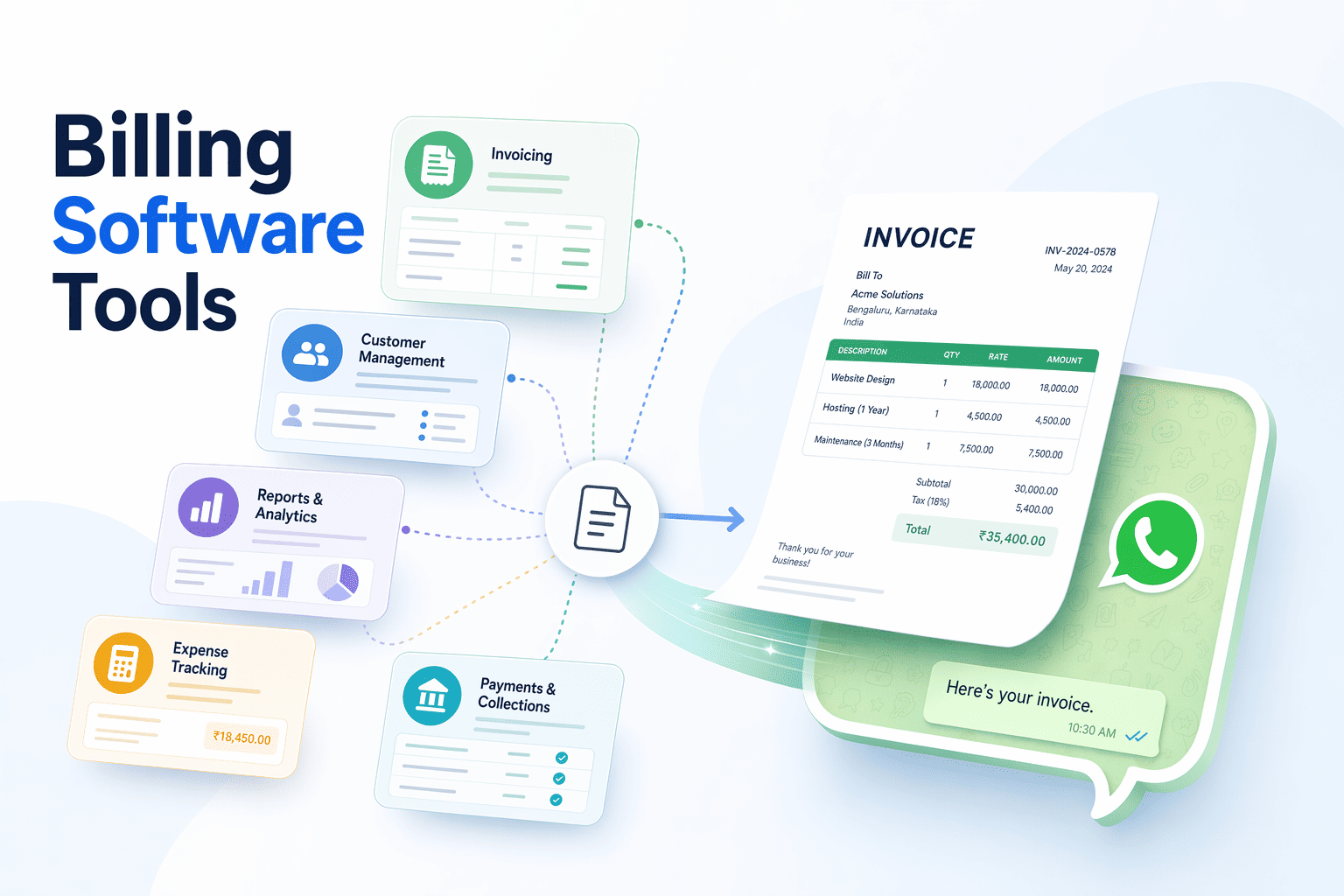
Swipe offers an integration with Tally, alongside API connections for Shopify and Shiprocket, enabling real-time ledger updates without leaving your expense workflow. Zoho Invoice supports direct WhatsApp invoice sharing, illustrating how modern accounting tools extend beyond traditional ERP to mobile-first channels. QuickBooks Online and Zoho Books typically support REST API integration, while Tally users often rely on XML import/export workflows. Check whether your chosen expense tool offers native Tally sync or requires nightly CSV batch uploads, the latter adds reconciliation lag.
Payment Gateway and Corporate Card Reconciliation Corporate card feeds imported daily enable expense software to match transactions to submitted claims by amount, date, and merchant name. Automated matching prevents duplicate reimbursement, when an employee submits a petrol receipt that already appears on the corporate card, the system flags it. Unmatched card swipes (transaction without receipt) trigger automatic reminders, closing the loop on unsubmitted expenses.
Integration gaps persist: some expense platforms lack real-time Tally sync, forcing finance teams to export CSV files monthly and manually reconcile. Others support only Zoho Books or QuickBooks, leaving Tally-dependent businesses with workaround scripts. When evaluating tools, confirm whether payment gateway webhooks (Razorpay, PhonePe, Stripe) push transaction data in real time or require batch polling, the former cuts reconciliation windows from days to minutes.
Choosing Expense Tracking Software: Team Size, Budget, and Compliance Needs Decision Framework: Matching Software Features to Field Team Operational Requirements Field team size and compliance complexity drive software requirements. Startups with 5-50 field representatives need mobile-first receipt capture that works offline, automated GSTIN validation to catch invoice errors before submission, and free or low-cost plans (Swipe's Free Plan includes unlimited invoices and GST-compliant billing ). Growth-stage businesses with 50-500 employees require multi-level approval workflows to enforce policy before reimbursement, native Tally or Zoho Books sync for smooth ledger updates, and mileage tracking for transport-heavy teams. Enterprise organizations with 500+ employees need full audit trails for compliance reviews, multi-currency GST handling for cross-border operations, and API integrations that connect expense data to ERP systems in real time. These tiers map directly to platform capabilities: the lightest tools serve Tier 1 needs only; mid-tier platforms scale through Tier 2; enterprise-grade systems handle Tier 3 audit and integration demands.
Comparing Swipe, Happay, Zoho Expense, and myBillBook: Pricing, Features, and Best-For Scenarios Platform Price Free GST Mobile Approval Integrations Best For Swipe Free forever Yes GST-compliant bills, automated GSTIN validation Yes Single-level (Free); multi-level on paid plans Tally, Shopify, Shiprocket, API SMBs with 20–200 employees needing simple GST compliance + Tally sync; field sales teams prioritizing offline mobile receipt capture. Limitation: Fewer enterprise-grade integrations than Happay; no multi-currency GST support as of 2026. Happay Contact for pricing No GST-compliant; multi-currency support Yes Multi-level; policy enforcement at point-of-purchase ERP APIs (SAP, Oracle, NetSuite) Enterprises with 500+ employees, complex travel policies, and cross-border expense workflows requiring real-time ERP integration. Zoho Expense ₹150/ month 14-day trial GST-compliant; auto-calculates tax Yes Multi-level; customizable approval hierarchies Zoho Books, Zoho CRM, QuickBooks, Xero Businesses already in the Zoho ecosystem; teams needing tight integration with Zoho Books for smooth ledger updates. myBillBook ₹99/ month No Basic GST invoicing Yes Single-level only Limited third-party integrations Micro-businesses (5–20 employees) prioritizing low cost over advanced approval workflows or audit features.
The table above organizes by operational requirements Zoho's comparison guide lists features generically; this section prioritizes field-team pain points first (offline sync, GSTIN validation, multi-level approvals), then maps the four solutions to those needs. Swipe's mobile-first design and native Tally sync fit Tier 1 and Tier 2 teams that prioritize GST compliance and ledger automation without enterprise-grade API complexity. Happay serves Tier 3 enterprises requiring point-of-purchase policy enforcement and ERP integration. Zoho Expense bridges Tier 2 and Tier 3 for organizations already standardized on Zoho's financial stack. MyBillBook addresses Tier 1 cost-conscious micro-businesses willing to trade approval workflow depth for a ₹99/month entry price.
As GST compliance automation matures, expect tighter integration between expense software and the GST Network (GSTN), real-time e-invoice validation at receipt capture and auto-population of GSTR-1 from approved expense claims will reduce reconciliation friction for field teams.
Evaluate your field team's expense tracking requirements using the decision framework above, then explore Swipe's mobile-first GST compliance features and Tally integration to see if it matches your team size and budget constraints.
Frequently Asked Questions What GST invoice fields must expense software capture for input tax credit claims? Expense software must capture supplier GSTIN, invoice number, invoice date, taxable amount, CGST/SGST/IGST amounts, HSN/SAC code, and place of supply. Missing any field disqualifies the expense from ITC claims during GST audit, as employee reimbursements for taxable purchases must include complete GST/HST documentation.
How does offline receipt capture work for field teams without consistent internet? Field reps photograph receipts in the mobile app offline, which stores them locally with metadata like timestamp and GPS coordinates. When connectivity returns, the app syncs receipts in batch while preserving capture-time order. Conflict-resolution mechanisms detect duplicates, and local encryption ensures data integrity until sync completes.
Can expense software auto-reconcile employee claims with GSTR-2A supplier filings? Yes, software pulls GSTR-2A data via GST portal API and matches uploaded expense receipts by GSTIN, invoice number, and amount. It flags mismatches like differing amounts, missing invoices, or cancelled GSTINs, then exports reconciliation reports for finance review, preventing disallowed ITC claims during audits.
What integrations do field teams need for automated expense-to-accounting sync? Field teams require Tally, Zoho Books, or QuickBooks integration to push approved expense claims as journal entries with GST tax codes. Payment gateway integration auto-matches corporate card transactions to submitted receipts, preventing duplicate reimbursement and ensuring ledger accuracy for distributed teams.
How do multi-level approval workflows differ from generic single-approver expense tools? Field-team workflows route claims through branch manager for policy compliance, regional manager for budget allocation, and finance team for GST field validation before final approval. Generic tools offer only single-approver flows without location-based controls or GST checks, limiting scalability for distributed operations.
Does Swipe support mileage tracking and per-diem expense claims for field sales teams? Yes, Swipe auto-calculates mileage reimbursement using GST-compliant rates (₹8/km for two-wheelers, ₹10/km for cars) based on GPS-tracked travel distance. It also enforces per-diem spending limits by employee role and location, preventing out-of-policy claims at submission.
What happens to audit trails if a field rep edits an expense claim after submission? Audit-ready software locks the original receipt timestamp at capture and logs every edit as a separate event with the editor's user ID and timestamp. The audit trail shows full history, original submission, edits, approvals, ensuring tamper-proof documentation for GST audits.
Sources Common Mistakes in expense tracking explained – MEFMobile - mefmobile.orgSetting Up Expense Reimbursement Policy in Expense and Travel Management in India - www.myndsolution.comInput Tax Credits for Employee Reimbursements - DMA - dmainc.com8 practical tips to separate your personal and business finances - www.money.co.uk (2026)GST Implementation and its Impact on Small Business Tax Compliance - jisem-journal.com (2025)Automated Expense Reporting: Tools & Compliance Guide - houseblend.io (2026)12 Best Expense Management Software in India 2026 | Mysa - www.mysa.io (2026).png)



.png)
.png)
.png)
.png)
