How to Reduce Manual Errors in GST Invoice Calculations Manual GST invoice errors cost Indian businesses lakhs annually through ITC denial, penalties, and compliance overhead. Most errors cluster at predictable checkpoints — GSTIN validation, HSN/SAC assignment, tax rate application, and CGST/SGST splits — making them preventable through systematic workflows.
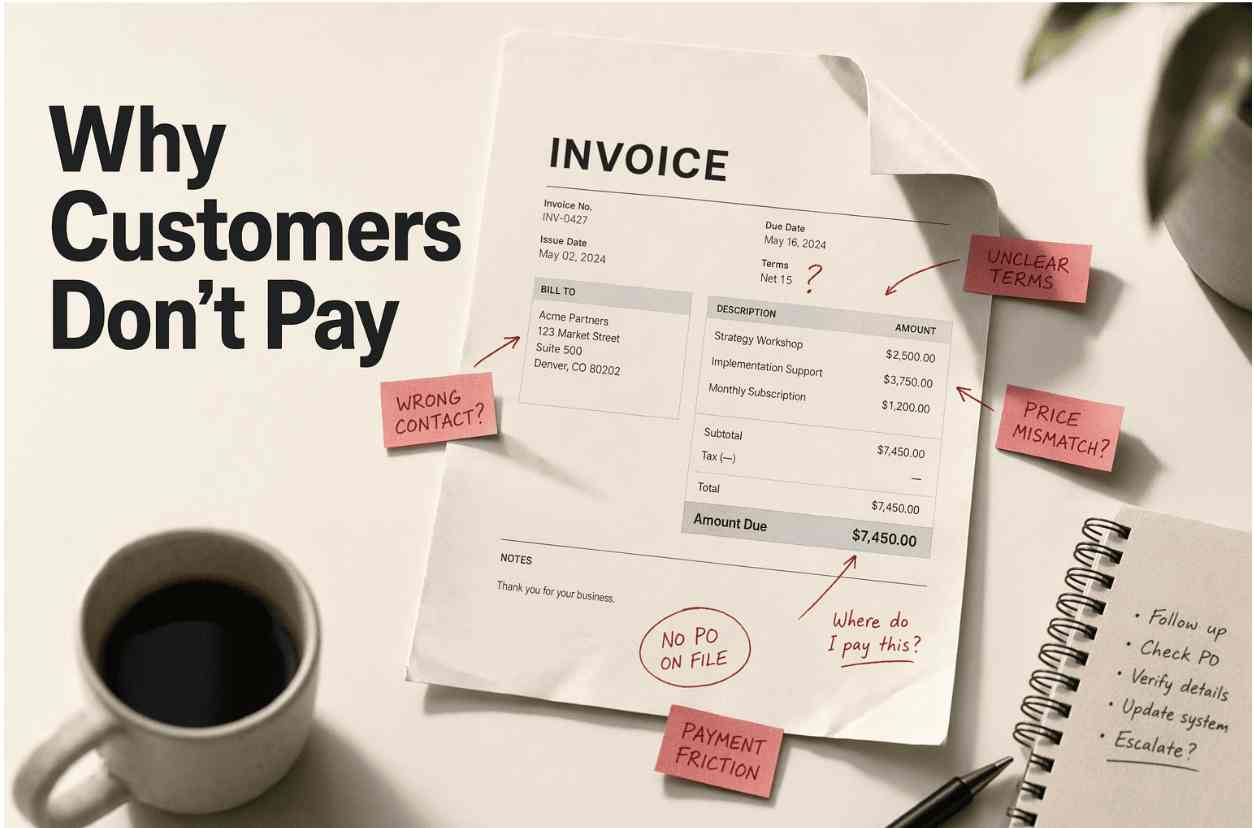
Key Takeaways Manual GST invoice errors concentrate at four validation checkpoints: GSTIN format, HSN/SAC code accuracy, tax rate selection, and CGST/SGST versus IGST split logic Pre-invoice validation checklists and HSN/SAC master libraries prevent 80% of classification and tax rate errors before invoice generation GSTIN verification workflows — validating 15-character structure, state code alignment, and active registration status — block ITC-denying mistakes at data entry Pre-submission reconciliation (source document matching, CGST+SGST formula checks, GSTR-1 draft comparison) catches errors before filing deadlines GST-compliant software automates calculation and format validation but relies on accurate master data curation for HSN/SAC codes and buyer records Why Manual GST Invoice Errors Happen (And Why They're Costly) Manual GST invoice errors cost businesses lakhs annually through ITC denial, penalties, and reconciliation overhead. The root cause: businesses treat error-fixing as a post-invoice task rather than building validation checkpoints into invoice creation workflows. GST-compliant invoicing platforms like Swipe, Zoho Books, and TallyPrime automate tax calculations, but automation only works when the underlying data — GSTIN, HSN/SAC codes, buyer details — is validated before invoice generation. The Four Error Categories That Trigger GST Notices GST authorities flag four error patterns most frequently during GSTR-2B reconciliation. First, GSTIN mistakes: a single incorrect character blocks ITC claims because the buyer's auto-populated GSTR-2B will not reflect the invoice. Second, HSN/SAC misclassification: applying 12% GST to a service that requires 18% creates liability gaps, you owe the government the full rate regardless of what you charged. Third, tax-type misapplication: showing CGST and SGST on an inter-state sale when IGST is required. Fourth, missing mandatory fields: invoices lacking supplier GSTIN, taxable value, or place of supply become invalid for ITC.
The Real Cost: Penalties, ITC Delays, and Reconciliation Time Each error category carries financial consequences. ITC denial occurs when invoices do not match GSTR-2B, even correct invoices fail if the supplier has not filed GSTR-1. Businesses then face reversal with 18% annual interest from the original due date, plus minimum penalties of ₹10,000 under Section 122 of the CGST Act for tax-type errors. Delayed payment beyond 180 days requires ITC reversal. Manual reconciliation compounds these costs: fixing errors after they reach GSTR-2B requires supplier coordination, credit note issuance, and fresh invoice generation, doubling compliance work.
Why Reactive Error-Fixing Fails: The Case for Prevention Workflows Post-error correction scales poorly because most invoice errors are caught during GSTR-2B reconciliation, weeks after invoice acceptance, when fixing them costs time and supplier goodwill. E-invoicing mandates (applicable to businesses with turnover exceeding INR 10 crores ) require invoices digitally signed by IRP with Signed QR Codes, making late corrections even more cumbersome. Prevention workflows eliminate errors before they enter the system: GSTIN validation at data entry, HSN/SAC lookup against CBIC rate schedules, and automated CGST/SGST/IGST determination based on state codes prevent the errors competitors document after they occur.
Understanding why errors happen reveals where to intervene. The next step is building validation checkpoints into your invoice creation workflow, starting with data-entry hygiene.
Step 1: Build a Pre-Invoice Validation Checklist Manual GST invoice errors cluster at predictable points in the data-entry pipeline. A pre-invoice validation checklist intercepts mistakes before they reach the IRP, the Invoice Registration Portal that assigns IRN numbers. Every GSTN rejection has an error code , a root cause, and a fix; the checklist below addresses the four triggers that account for the majority of IRP failures.
Checkpoint 1: Verify GSTIN Format and Registration Status Validate the 15-character GSTIN structure (2-digit state code + 10-digit PAN + 1-digit entity number + Z + 1-digit checksum) before invoice generation. Cross-check the buyer's GSTIN against the GST portal's search tool to confirm active registration status. Platforms like Swipe automate GSTIN format checks, but manual validation remains key for businesses that input data from external sources like purchase orders or ERP exports where upstream errors propagate.
Checkpoint 2: Confirm HSN/SAC Code Accuracy for Each Line Item Cross-reference product descriptions with the correct HSN or SAC codes using the GST portal's HSN/SAC lookup tool. Error 2176 occurs when an incorrect HSN code has been entered. Verify each line item's code matches the product category; a single-digit mismatch triggers IRP rejection.
Checkpoint 3: Validate Tax Rate Selection by Product Category Confirm that the selected tax rate (0%, 5%, 12%, 18%, 28%) aligns with the HSN/SAC code's prescribed rate. Error 2172 arises when IGST is entered instead of CGST and SGST for intra-state transactions. Audit the tax-rate assignment before finalization to catch rate mismatches at the pre-invoice stage.
Checkpoint 4: Ensure All Mandatory Invoice Fields Are Populated Audit completeness of invoice number, date, buyer/seller GSTIN, place of supply, HSN/SAC, taxable value, and CGST/SGST/IGST breakdowns. Error 2182 occurs when taxable values of line items do not match the total taxable value. Build a simple spreadsheet log tracking which checkpoint caught which error type, recurring patterns signal upstream data-entry training gaps.
Decision framework : Use manual validation when transaction volumes are low and product catalogs change frequently (new items = new HSN codes). Automate validation for high-volume repeat transactions with stable product sets where the same HSN codes recur across invoices.
Once your validation checklist is operational, the next vulnerability is product classification, wrong HSN/SAC codes trigger both tax rate errors and compliance notices.
Step 2: Use HSN/SAC Code Libraries to Prevent Misclassification How to Build Your HSN/SAC Master Reference Library Start by exporting your product catalog. For each product, visit the GST portal and search the HSN/SAC directory to find the correct code, verify the GST rate and product description match your offering. Store the mapping in a lookup table: a spreadsheet or database with columns for Product Name, HSN/SAC Code, GST Rate, and Effective Date. Version-control this library; when GST rate changes occur (for example, the 2022 textile rate revision from 5% to 12%), update the affected rows and archive the old version. AI-powered tools like Swipe AI can auto-populate HSN/SAC codes from your product library and flag mismatches in real time, reducing lookup time.
Quarterly HSN/SAC Library Audits: Catching Drift Before It Compounds Every quarter, compare invoiced HSN/SAC codes against your master library. Export the prior three months of invoices, group by HSN/SAC code, and flag discrepancies, products invoiced under a code not in the library, or codes with outdated rates. Update the library when new products are added or GST notifications announce rate changes. Assign ownership: typically the finance team or a compliance officer maintains the library and reviews audit results. Businesses that maintain an HSN/SAC library save an average of 8-12 hours weekly versus manual lookup for every invoice. Never copy HSN/SAC codes from old invoices without verifying they're current, GST rate changes invalidate old mappings, and copying propagates errors across all future invoices.
With your HSN/SAC library curated, the third checkpoint is tax rate application, even correct product codes fail if your system applies the wrong GST slab.
Step 3: Automate Tax Rate Application by Product Category Map Product Categories to GST Rate Slabs in Your System Create product category groups in your invoicing system and assign each category the correct GST rate slab: 'Food Grains' → 0%, 'Processed Foods' → 12%, 'Electronics' → 18%. When you add a new product, tag it with the appropriate category; the software auto-applies the rate at invoice time. This eliminates manual rate-entry errors and ensures every item sold in that category inherits the same compliant rate. Leading GST billing software in India offer automatic tax rate updates and real-time compliance checks, your category mappings stay current as rates change.
A Mumbai-based distributor reduced tax rate errors by 80% after mapping their 200-SKU catalog into 12 GST rate categories and automating rate application. Use a reverse GST calculator to validate: when a buyer provides an inclusive GST amount, the system should back-calculate the pre-tax price and GST components, if the reverse-calculated rate doesn't match the expected category rate, flag the invoice for review.
Automate CGST/SGST vs IGST Split Based on Place of Supply Configure automation rules that read the buyer's location from their GSTIN. If the buyer's state matches the supplier's state, the system applies CGST + SGST (half the total rate each); if the states differ, it applies IGST (the full rate). Swipe AI understands Indian GST formats and automatically computes the base price exclusive of GST with detailed CGST and SGST breakdowns, eliminating manual split errors.
Manual rate override should be acceptable only for one-off sales of new product types not yet in your category library. If repeat products trigger rate overrides, the category mapping is wrong and needs correction, treat override alerts as signals to update your master category rules, not exceptions to ignore.
Tax rate automation only works if buyer details are accurate. Before finalizing any invoice, verify the GSTIN and location data that determine whether to apply CGST/SGST or IGST.
Step 4: Validate GSTIN and Buyer Details Before Invoice Generation Pre-Invoice GSTIN Verification: Format, Status, and Name Match Before finalizing any invoice, verify the buyer's GSTIN through three mandatory checks. First, confirm the 15-character format (2-digit state code + 10-digit PAN + 1-digit entity number + Z + 1-digit checksum). Second, validate active registration status via the GST portal's GSTIN search, cancelled or suspended GSTINs block ITC claims. Third, cross-check the legal business name returned by the portal against the buyer's name on your invoice; name mismatches trigger rejection during GSTR-2B reconciliation.
Swipe and platforms like Zoho Books automate format checks and pull verified buyer details from the GST network, but manual verification remains critical for businesses accepting orders via email or phone where typos are common. Never copy GSTIN from old invoices without re-verification, businesses migrating from composition to regular scheme change their GSTIN, and stale data costs buyers their ITC.
Place of Supply Validation: Ensuring State Code Consistency Validate that the place-of-supply state code matches the first two digits of the buyer's GSTIN. Mismatches flag intra-state invoices charged as inter-state (IGST instead of CGST+SGST), a common error when shipping addresses differ from billing locations. Use the GST portal's place-of-supply rules, goods follow delivery location; services follow buyer location (B2B) or supplier location (B2C). Catch this before invoice finalization to avoid amended returns and ITC reversals.
After validating data inputs, the final manual checkpoint is reconciliation, matching draft invoices against source documents and formula-checking tax splits before submission.
Step 5: Implement Pre-Submission Reconciliation Workflows Invoice-to-Source-Document Reconciliation: Catching Data-Entry Drift Before finalizing any invoice, reconcile it against its source document, the purchase order, proforma invoice, or delivery challan that authorized the transaction. Compare line items systematically: verify that quantities match the order, unit rates align with agreed pricing, and tax amounts reflect the correct GST slab for each HSN/SAC code. Automated reconciliation tools flag mismatches instantly, but manual checks remain key for high-value B2B invoices where a single quantity typo can inflate ITC claims by thousands of rupees. This pre-submission step catches data-entry drift, the cumulative effect of small errors that compound across hundreds of invoices, before it reaches your GSTR-1 filing.
CGST/SGST Split Verification and Total Tax Reconciliation For every intra-state invoice, verify that CGST + SGST equals the total GST amount; for inter-state invoices, confirm IGST matches total GST. Use this formula-based check: (Base Amount × GST Rate) = CGST + SGST (intra-state) or IGST (inter-state). Mismatched splits, where the sum of CGST and SGST diverges from the calculated total, signal rounding errors, manual override mistakes, or software configuration issues. Pre-submission reconciliation tools automate this cross-check, surfacing split discrepancies invoice-by-invoice so you can correct them before filing. Fixing split errors at this stage prevents refund claim rejections triggered by reconciliation failures between your GSTR-1 returns and the government's master records.
Monthly Reconciliation: GSTR-1 vs Books Before Filing At month-end, compare your draft GSTR-1, auto-populated from invoices in your billing system, against your accounting books. Flag three categories of discrepancy: missing invoices (recorded in books but absent from GSTR-1), duplicate entries (the same invoice pulled twice into GSTR-1), and amount mismatches (invoice total differs between books and GST portal). Resolve each before submission; unreconciled discrepancies become compliance red flags during audits. Modern invoicing platforms sync invoices with accounting books in real time and auto-populate GSTR-1, reducing manual reconciliation workload for high-volume businesses. Swipe's accounting integration syncs invoices with your books in real time, auto-populating GSTR-1 and flagging discrepancies before filing, reducing the manual reconciliation workload for high-volume businesses.
Manual workflows scale error prevention to your current volume, but software multiplies your validation capacity, automating checks that would take hours manually.
How GST-Compliant Software Reduces Error Risk Automation Capabilities That Eliminate Common Manual Errors GST-compliant software automates calculations, reducing the risk of manual data entry mistakes. When you auto-populate GSTIN from buyer master records, HSN/SAC codes from product libraries, and tax rates from government schedules, you prevent duplicate invoices, wrong amounts, and incorrect tax applications. Software links invoices to payments, captures vendor details, invoice numbers, dates, line items, GST, and totals automatically, and computes the base price exclusive of GST with detailed CGST/SGST breakdowns. These features address the most frequent error sources: rushed data entry, unlinked payments, and inconsistent tax rates.
Real-Time Validation Rules and Error Alerts Validation rules check GSTIN format, HSN/SAC validity, mandatory field completeness, and tax calculation logic before invoice finalization. TallyPrime's e-invoice workflow performs pre-submission checks, IRP error handling, and bulk validation to catch errors early. Real-time alerts flag mismatched balances, missing entries, and inconsistent records before submission to the GST portal, preventing rejected filings and compliance penalties.
Comparing GST-Compliant Invoicing Platforms for Error Prevention The table below evaluates six platforms across GST automation, e-invoicing/IRP integration, e-way bill generation, pricing, free trial availability, and user ratings.
Platform GST Automation E-Invoicing/IRP E-Way Bill Pricing Free Trial Rating Swipe AI-powered CGST/SGST auto-compute, HSN/SAC mismatch alerts Yes Yes Free plan; paid from ₹833/month Yes (free forever) 4.6/5 TallyPrime Direct IRP integration, real-time validation, bulk processing Yes Yes ₹18,000/year (single user) 30 days 4.5/5 Zoho Books Auto tax rate application, multi-currency GST Yes Yes Free up to ₹50L revenue; ₹2,500/org/year 14 days 4.4/5 Vyapar Automatic CGST/SGST split, offline GST billing Yes Yes Free up to 500 invoices; ₹4,999/year 7 days 4.3/5 ProfitBooks GST rate auto-lookup, GSTR-1 auto-filing Yes Yes Free up to 3 users; ₹999/month 30 days 4.2/5 Marg ERP Desktop-based GST compliance, batch invoice validation Yes Yes ₹24,000/year 15 days 4.1/5
Cloud-based platforms (Swipe, Zoho Books) suit distributed teams needing mobile access; desktop software (TallyPrime, Marg ERP) suits businesses with on-premise data security requirements. Free plans (Vyapar, ProfitBooks) work for solo businesses under 500 invoices/year; paid plans scale with transaction volume and multi-user needs. Swipe's AI-powered invoice processor auto-computes CGST/SGST breakdowns and flags HSN/SAC mismatches, with API integration for ERP systems (explore Swipe API ), best for businesses with diverse product catalogs and external data sources. Sign up for free to test error-prevention workflows before upgrading.
Conclusion Manual validation workflows suit small businesses with diverse product catalogs and low transaction volumes (under 100 invoices/month), where software costs exceed manual effort. Automated platforms like Swipe, Zoho Books, and TallyPrime suit high-volume operations (500+ invoices/month) where manual validation doesn't scale and error rates compound with volume. Cloud-based invoicing platforms offer real-time GSTIN validation and mobile access but require stable internet; desktop software works offline and suits on-premise data security requirements but lacks real-time IRP integration without connectivity.
As GST compliance shifts toward full automation, the GST Council's 2026 roadmap includes AI-powered return pre-population and real-time ITC matching, error-prevention workflows will move upstream. Businesses that build validation checkpoints into their invoicing processes today will adapt faster to automated compliance regimes than those relying on post-error correction.
Audit your current GST invoice error rate this month, track errors by type (GSTIN, HSN/SAC, tax rate, mandatory fields) to identify your highest-impact validation checkpoint. Then explore Swipe AI's automated invoice processing to scale your prevention workflows with real-time validation and CGST/SGST breakdown.
Frequently Asked Questions What are the most common GST invoice calculation errors? The five most frequent errors are incorrect GSTIN entry, wrong HSN/SAC code assignment, tax rate mismatches (applying 12% when 18% is required), missing mandatory fields (invoice number, date, place of supply), and incorrect CGST/SGST versus IGST split for inter-state transactions. Each error blocks ITC claims and triggers compliance notices during GSTR-2B reconciliation.
How do I verify a buyer's GSTIN before generating an invoice? First, validate the 15-character structure: first two digits match the state code, next ten match the buyer's PAN, and the final checksum is correct. Second, cross-check the GSTIN against the GST portal's search tool to confirm active registration and that the legal name matches your buyer records. Platforms like Swipe automate this verification during invoice creation.
Can software completely eliminate manual GST invoice errors? No, software automates validation rules and calculations but relies on accurate master data. If your HSN/SAC library contains incorrect codes or buyer GSTIN records are outdated, automation will propagate those errors. The solution combines software automation for calculation checks with manual curation of master data through quarterly HSN/SAC audits and GSTIN verification workflows.
What is the difference between CGST/SGST and IGST on invoices? CGST (Central GST) plus SGST (State GST) apply to intra-state transactions; IGST (Integrated GST) applies to inter-state transactions. For 18% GST on ₹10,000: intra-state shows CGST ₹900 + SGST ₹900; inter-state shows IGST ₹1,800. Automated platforms determine the correct split by comparing the buyer's GSTIN state code against the seller's state.
How often should I update my HSN/SAC code library? Audit your library quarterly to capture new products, discontinued items, and GST rate changes. Immediate triggers for updates include GST Council rate revisions, adding new product categories, or recurring HSN/SAC mismatches during reconciliation. Maintain a change log to track when each code was updated and the reason for the change.
What happens if I submit a GST invoice with the wrong HSN/SAC code? Wrong HSN/SAC codes trigger compliance notices and can cause ITC rejection for your buyer. If the misclassification affects the tax rate (e.g., applying 12% when 18% is prescribed), you owe the tax difference plus interest and penalties. For e-invoices, the IRP system may reject invoices with invalid codes, forcing resubmission.
Do I need e-invoicing if my turnover is below ₹5 crore? As of 2026, e-invoicing is mandatory for businesses with annual turnover above ₹5 crore. Below that threshold, regular GST invoices suffice. However, voluntary adoption via IRP-integrated software (Swipe, Zoho Books, TallyPrime) offers real-time GSTIN and HSN/SAC validation, auto-populated GSTR-1, and reduced reconciliation overhead. Check GST Council notifications for threshold updates.
.png)



.png)
.png)
.png)
.png)
