5 Billing Software Tools that Send Invoices via Whatsapp.
Key Takeaways WhatsApp Business API integration enables automated invoice delivery at scale, eliminating manual PDF sharing and email delays Key features include GST compliance, multi-channel fallback (email and SMS), offline invoice creation, and payment link embedding Five platforms—Swipe, Vyapar, Zoho Invoice, EzyVyapar, and Refrens—offer WhatsApp invoicing with varying pricing models and feature sets WhatsApp messages trigger instant mobile notifications and bypass spam filters, reducing payment cycles by up to several days Best practices include timing messages during business hours, embedding payment links, and configuring strategic automated reminders Yes, multiple billing software platforms integrate WhatsApp Business API to send invoices directly through WhatsApp. Tools like Swipe, Zoho Books, and third-party solutions enable businesses to automate invoice delivery via WhatsApp chats, eliminating manual sharing and email delays. Instant invoice sharing through WhatsApp has become a proven workflow for fast payments, leveraging the platform's 2+ billion active users and high open rates.
WhatsApp Business API vs. Regular WhatsApp for Invoicing Personal WhatsApp accounts require manual copying and pasting of invoice details or downloading PDFs to share one-by-one — impractical when invoicing dozens or hundreds of customers monthly. WhatsApp Business API, by contrast, is designed for automated, software-triggered messaging at scale. Billing platforms connect to the API via official WhatsApp Business Solution Providers, enabling programmatic invoice delivery without human intervention. The API supports automated scheduling, message templates with embedded variables (customer name, invoice number, due date), and delivery confirmations — all missing from the standard WhatsApp app. Businesses must apply for API access through a WhatsApp Business Solution Provider and meet WhatsApp's compliance requirements; regular WhatsApp accounts cannot send automated transactional messages without violating platform terms.
How Billing Software Connects to WhatsApp WhatsApp billing software integration bridges your invoicing system and WhatsApp's messaging layer. When you generate an invoice, the software triggers an API call to WhatsApp with the customer's registered phone number, a pre-approved message template, and the invoice file. WhatsApp delivers the message to the customer's chat within seconds, complete with a PDF attachment or link. Swipe supports instant invoice sharing via WhatsApp, Email, and SMS, allowing businesses to reach customers on their preferred channel. Third-party billing tools and established platforms like Zoho Books also offer WhatsApp invoice sending as a packaged feature, demonstrating broad market availability beyond standalone solutions.
What Data Gets Shared via WhatsApp A typical WhatsApp invoice message includes the invoice number, customer name, total amount, due date, and a PDF attachment or secure link to download the invoice. WhatsApp enforces end-to-end encryption for all messages, meaning the platform itself cannot read the invoice content — only the sender and recipient can. However, sending raw PDFs as attachments means the file lives permanently in the customer's chat history with no server-side access control. For audit trails and secure access management, many businesses prefer sending a link to a hosted invoice portal where they can revoke access or track opens. Always verify that your billing software generates unique, expiring links rather than static URLs if your invoices contain sensitive financial data or payment terms that require confidentiality.
Understanding the API foundation helps you evaluate whether a billing platform delivers genuine automation or simply adds a "Share to WhatsApp" button that opens the app manually. The next section outlines the critical features that distinguish professional WhatsApp invoicing tools from basic integrations.
Key Features to Look for in WhatsApp-Enabled Billing Software Not all billing platforms treat WhatsApp as more than an afterthought. The best tools tier features into must-have, nice-to-have, and advanced capabilities. Must-haves include official WhatsApp Business API integration (not consumer WhatsApp) and invoice customization before sharing. Nice-to-haves cover offline mode and multi-channel fallback. Advanced features encompass automated reminders and embedded payment links.
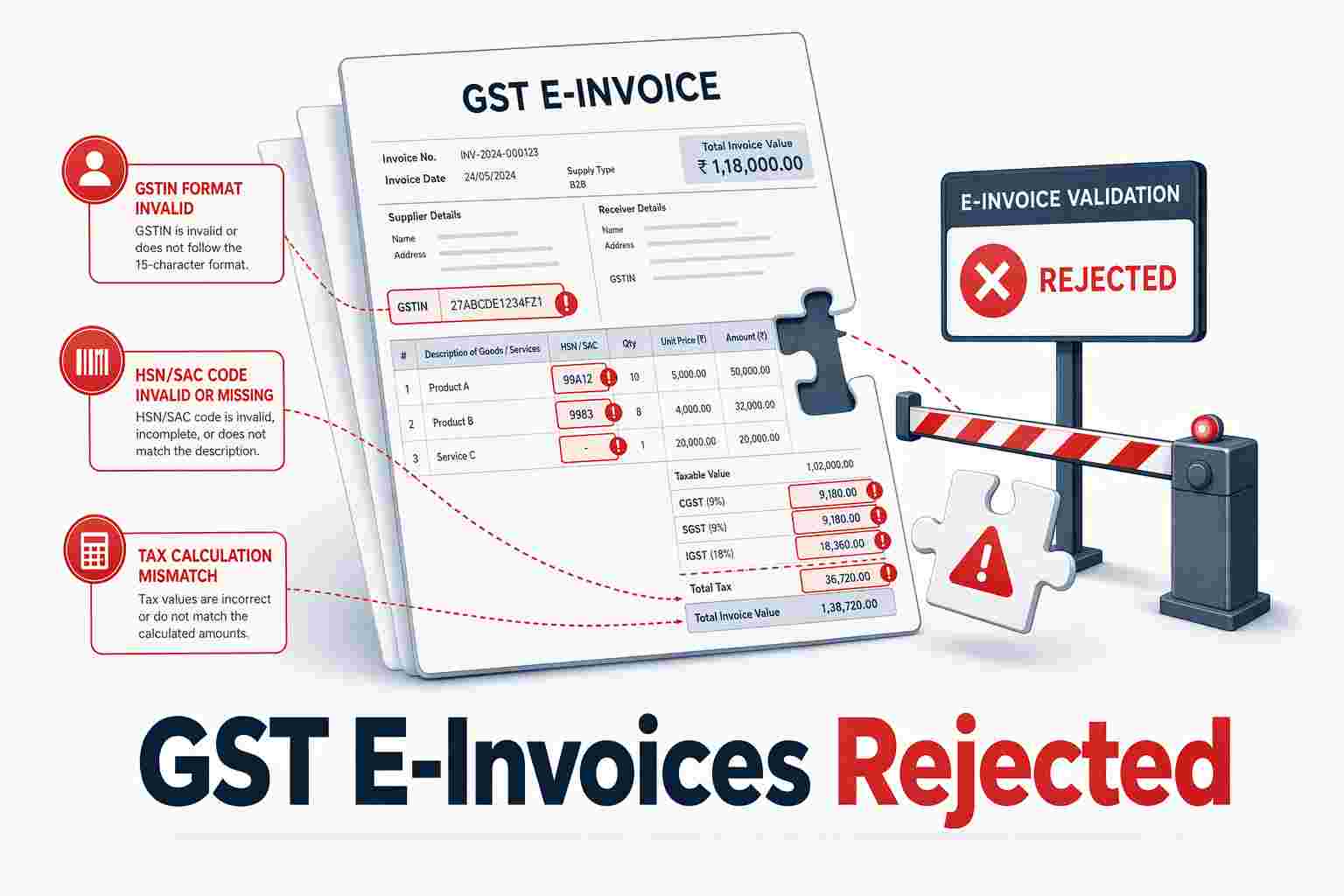
Invoice Customization and Branding Before Sharing Verify that the software lets you add your logo, adjust color schemes, and include terms before the invoice leaves the system. In India, GST compliance fields, GSTIN, HSN/SAC codes, tax breakdowns, must appear on every invoice PDF or link, regardless of delivery channel. Platforms like Vyapar and Swipe generate GST-compliant invoices and share them instantly on WhatsApp or email, ensuring regulatory validity from the first send. Skipping customization or tax fields risks compliance issues and unprofessional branding.
Multi-Channel Sharing (WhatsApp + Email + SMS) Relying solely on WhatsApp excludes customers who don't use the platform or who prefer email for record-keeping. Best billing software offers simultaneous or fallback delivery via email and SMS. Swipe, for instance, can send payment reminders via WhatsApp, Email, and SMS, covering diverse customer preferences. This multi-channel approach ensures no invoice lands in a spam folder or goes unnoticed because a client rarely checks WhatsApp.
Payment Tracking After WhatsApp Delivery WhatsApp delivery reduces the risk of invoices landing in spam compared to email, where business inboxes receive hundreds of messages daily and payment reminders often go unnoticed. However, delivery visibility does not eliminate payment delays caused by cash flow issues or poor timing. Look for software that links delivery status to automated overdue reminders and payment tracking dashboards. Swipe's system can create personalized invoices, track payments, and send automatic reminders for past-due payments, addressing the common anti-pattern of assuming WhatsApp guarantees instant payment.
With feature priorities established, a practical walkthrough shows how these capabilities work in a real billing workflow. The following section demonstrates WhatsApp invoice delivery using a mobile-first platform built for offline environments.
Step-by-Step: Sending Invoices via WhatsApp with Swipe Swipe streamlines WhatsApp invoice delivery through a mobile-first workflow that requires no downloads. The platform supports sharing invoices, purchases, and quotations via WhatsApp, SMS, and Email, making it suitable for businesses that need multi-channel document delivery. Below is the complete workflow from invoice creation to payment tracking.
Creating and Customizing the Invoice in Swipe Open Swipe on mobile or web , Launch the app and navigate to the invoice creation screen.Fill invoice fields , Enter customer name, mobile number, line items, quantities, unit prices, and applicable GST rates. Swipe calculates totals automatically.Add payment terms , Specify due date, payment instructions, and any early-payment discounts or late-payment terms.Customize branding , Upload your logo, choose a template color scheme, and add footer text (bank details, terms, signature) to match your business identity.Selecting WhatsApp as the Delivery Channel Tap Share , After previewing the invoice, tap the Share button to open the multi-channel delivery interface.Choose WhatsApp , Select WhatsApp from the available channels (WhatsApp, Email, SMS). Swipe prefills the customer's mobile number if it's already in the invoice header.Send , Tap Send to deliver the invoice as a PDF attachment via WhatsApp. The customer receives it instantly in their chat thread.Confirming Delivery and Tracking Payment Status View delivery timestamp , Swipe records the exact date and time the invoice was sent, visible in the invoice detail screen.Link to payment tracking , The invoice status updates automatically when the customer pays via UPI or other integrated payment methods.Set follow-up reminders , Enable auto-reminders for unpaid invoices; Swipe sends follow-up messages via WhatsApp or SMS on the schedule you configure.Offline invoice creation with online sharing : Draft invoices on your mobile device without an internet connection; Swipe queues the document locally and triggers WhatsApp delivery as soon as you reconnect. This workflow addresses connectivity gaps that often disrupt invoicing in field-service and remote-business scenarios.
The table below compares Swipe with four alternatives across key WhatsApp billing dimensions:
Tool
Starting Price
WhatsApp Invoice Sending
GST Invoicing
Inventory Management
Offline Mode
Free Trial
User Rating
Price-to-Rating Ratio
Swipe Free
Yes
Yes
Yes
Yes
Yes
4.6
0.00
EzyVyapar
Free
Yes
Yes
Yes
Yes
Yes
4.3
0.00
Vyapar
₹4,000/year
Yes
Yes
Yes
Yes
Yes
4.7
851.06
Refrens
Free
No
Yes
No
No
Yes
4.4
0.00
Zoho Invoice
Free
No
Yes
No
No
Yes
4.5
0.00
Swipe and Vyapar both offer native WhatsApp invoice delivery, offline mode, and inventory management, key features for small businesses managing stock and field sales. Zoho Invoice and Refrens lack WhatsApp integration, requiring users to download PDFs and share manually. Sign up for free to test the WhatsApp workflow with your own invoices.
Advantages of WhatsApp Invoicing for Small Businesses WhatsApp invoice delivery offers small businesses a mobile-first alternative to email, addressing three persistent pain points: low open rates, slow payment cycles, and manual follow-up overhead. While email remains standard, over 60% of small businesses struggle with customers who ignore invoices, creating cash flow problems that threaten survival. WhatsApp's push-notification delivery and near-universal mobile adoption position it as a higher-visibility channel, though empirical data on payment-speed improvement remains limited.
Higher Open Rates and Mobile-First Reach WhatsApp messages trigger immediate mobile notifications and bypass spam filters that often trap email invoices in junk folders or promotional tabs. Businesses report higher engagement when invoices arrive as direct messages rather than emails that sit unread for days. Swipe lets users share invoices instantly on WhatsApp or Email, giving small businesses a way to test both channels and measure which drives faster customer response. For mobile-first customers, delivery drivers, field technicians, restaurant owners, WhatsApp invoices land where they already manage daily communication, reducing the friction of switching apps or checking desktop email.
Faster Payment Cycles Through Instant Notifications WhatsApp's push-notification model means customers see invoices within minutes rather than hours or days later when they check email. While specific payment-speed data remains scarce, businesses using platforms like Swipe, which supports sending invoices via WhatsApp, email, or SMS, can run side-by-side experiments to measure time-to-payment empirically. The notification triggers immediate awareness, letting customers act on invoices during micro-moments rather than postponing payment until they return to their desktop. Independent industry sources confirm that GST billing software increasingly integrates WhatsApp as a standard delivery channel , validating its role in modern invoicing workflows.
Reduced Admin Overhead for Follow-Ups Manual follow-up, calls, reminder emails, repeated outreach when invoices are ignored, consumes hours each week for solo entrepreneurs and small teams. WhatsApp delivery reduces this workload by increasing first-contact visibility: when an invoice arrives as a direct message, customers are less likely to claim they never received it. Swipe supports sharing invoices and documents directly with customers via WhatsApp, SMS, and Email, letting businesses automate multi-channel delivery without manual intervention. For service-based businesses juggling dozens of monthly invoices, this visibility shift translates into fewer chasing calls and faster closure on outstanding balances.
Even with a streamlined workflow, initial setup questions and delivery failures can slow adoption. The following section addresses the most frequent technical questions businesses encounter when implementing WhatsApp invoicing.
Common Setup Questions and Troubleshooting Do I Need a WhatsApp Business Account? Most billing platforms handle WhatsApp Business API integration directly, you don't need to set up a separate WhatsApp Business app or personal account. The software connects to WhatsApp's backend on your behalf. Swipe's mobile-first design lets users create and share invoices via WhatsApp entirely from a smartphone, addressing the on-the-go invoicing workflow. Desktop and mobile interfaces both support instant invoice sharing.
What If the Customer's Number Is Wrong or Inactive? When delivery fails, billing software typically logs an error message and offers fallback options, email or SMS. Maintain a verified contact list to minimize bounces. Platforms like Go GST Bill for mobile shops show how specialized verticals rely on accurate phone numbers for speed, making number validation a routine part of customer onboarding.
Can I Send Invoices to International Numbers? Yes, provided you include the correct country code (e.g., +1, +44). WhatsApp's API supports cross-border messaging, though some regions impose rate limits or require local sender registration. Check your software's documentation for regional API restrictions before invoicing overseas customers.
Troubleshooting checklist:
Wrong number format , ensure you include country code with no leading zeros.Customer opted out , WhatsApp Business messages require opt-in; confirm the recipient hasn't blocked business contacts.API rate limits , platforms throttle high-volume sends; space invoices or upgrade your tier.Technical setup alone doesn't guarantee results, execution matters. The final section covers timing, payment link integration, and reminder cadence strategies that maximize payment velocity without annoying customers.
WhatsApp Invoicing Best Practices Timing Your Invoice Delivery for Maximum Response Send invoices during business hours in your customer's timezone, typically 9 AM to 5 PM on weekdays. Late-night or weekend deliveries can feel intrusive and are more likely to be ignored or marked as spam. For recurring clients, align invoice delivery with their payment approval cycles (e.g., Monday mornings for businesses that process invoices early in the week). Review your WhatsApp delivery analytics to identify when customers are most responsive, then schedule accordingly.
Embedding Payment Links for One-Tap Checkout Include a payment gateway link directly in the WhatsApp message so customers can pay without leaving the chat. Platforms like Swipe that integrate payment gateways let you embed payment links directly in the WhatsApp message, reducing the steps between invoice receipt and payment confirmation. Use a short, branded link that clearly signals the payment destination. For high-value invoices, consider adding a one-sentence context line ("Your March consulting invoice, tap to pay securely") to reassure customers before they click.
Automating Reminders Without Spamming Configure automated reminders at strategic intervals, not daily blasts. A proven cadence: send a courtesy reminder three days before the due date, a same-day reminder on the due date, and a follow-up three days after if unpaid. For low-value, high-volume transactions (under ₹5,000), use this three-touch sequence. For high-value project invoices (over ₹50,000), add a personal check-in call after the first automated reminder. Avoid the anti-pattern of daily reminders before the due date, this trains customers to ignore your messages and risks WhatsApp flagging your business number as spam. Tools that support automatic reminders for overdue payments let you set these rules once and maintain consistent follow-up without manual intervention.
Conclusion API-based automation tools like Swipe and Zoho Invoice deliver invoices at scale with tracking and reminders, while manual WhatsApp sharing through the personal app suits micro-businesses with very low invoice volumes who don't need delivery analytics. Cloud-only platforms offer instant updates and cross-device sync, while offline-capable billing software like Swipe lets users create invoices without connectivity and share them later, critical for field sales teams or areas with unreliable internet.
As WhatsApp Business API pricing becomes more competitive and more SMEs adopt mobile-first billing workflows, expect invoice automation features, payment link embedding, AI-driven reminder timing, multi-currency support, to become standard across billing platforms by late 2026.
Try Swipe's instant invoice sharing via WhatsApp, Email, and SMS, create your first invoice offline and deliver it the moment you reconnect. The multi-channel approach ensures every customer receives invoices through their preferred channel, maximizing payment velocity without compromising reach.
Frequently Asked Questions Is WhatsApp invoice sending free or does it cost extra? WhatsApp Business API charges per-message fees set by Meta, but many billing platforms bundle a quota of free messages or include WhatsApp delivery in flat subscription pricing. Platforms like Vyapar offer tiered plans where WhatsApp invoicing is part of the package, eliminating separate per-message billing for users.
Can I send invoices via WhatsApp without a Business API account? Personal WhatsApp allows manual PDF sharing but lacks automation, delivery tracking, and reminder workflows. Business API integration, handled by billing software, is required for automated invoice delivery at scale; manually copying invoice details becomes impractical when invoicing dozens or hundreds of customers monthly.
Do customers need WhatsApp installed to receive invoices? Yes, customers must have WhatsApp installed and an active number to receive invoices through the platform. Relying solely on WhatsApp excludes customers who don't use the app or prefer email for record-keeping, so best billing software offers simultaneous or fallback delivery via email and SMS.
Will WhatsApp invoice delivery work offline? Customers need internet to receive WhatsApp messages, but businesses can create invoices offline in software like Swipe that supports offline mode. The billing system queues invoices locally and triggers WhatsApp delivery automatically once the device reconnects, enabling field sales teams to work in areas with unreliable connectivity.
How do I track if a customer opened the WhatsApp invoice? WhatsApp Business API provides delivery and read receipts (blue ticks) that billing software logs in the dashboard. Platforms with payment tracking features display invoice delivery status, showing whether the message was delivered, read, or failed, helping businesses prioritize follow-up on unread invoices.
Can I send invoices via WhatsApp to international customers? Yes, as long as the billing software supports international number formats with country codes like +1 or +44. WhatsApp Business API pricing may vary by destination country, and some regions have regulatory restrictions on business messaging that can affect delivery.
What happens if the customer's WhatsApp number is wrong? Billing software returns a delivery failure error when the number is invalid or unreachable. Best practice includes verifying customer contact details at signup and configuring fallback delivery via email or SMS for failed WhatsApp sends to ensure the invoice reaches the customer through an alternative channel.
Sources How to Share Invoices Instantly via WhatsApp with Billing Software - insidash.com (2025)Billing Software – Invoice Maker – WhatsApp Invoice Sender - codecanyon.netZoho Books review - TechRadar - techradar.comBest GST Billing Software for Small Businesses | Vyapar - vyaparapp.inWhat if a customer ignores your overdue invoice emails? - www.maxcredible.com10 things to do when a customer ignores your invoice - MAXcredible - www.maxcredible.comTop 10 Best Gst Billing Software of 2026 - gitnux.org (2026)
Key Takeaways WhatsApp Business API integration enables automated invoice delivery at scale, eliminating manual PDF sharing and email delays Key features include GST compliance, multi-channel fallback (email and SMS), offline invoice creation, and payment link embedding Five platforms—Swipe, Vyapar, Zoho Invoice, EzyVyapar, and Refrens—offer WhatsApp invoicing with varying pricing models and feature sets WhatsApp messages trigger instant mobile notifications and bypass spam filters, reducing payment cycles by up to several days Best practices include timing messages during business hours, embedding payment links, and configuring strategic automated reminders Yes, multiple billing software platforms integrate WhatsApp Business API to send invoices directly through WhatsApp. Tools like Swipe, Zoho Books, and third-party solutions enable businesses to automate invoice delivery via WhatsApp chats, eliminating manual sharing and email delays. Instant invoice sharing through WhatsApp has become a proven workflow for fast payments, leveraging the platform's 2+ billion active users and high open rates.
WhatsApp Business API vs. Regular WhatsApp for Invoicing Personal WhatsApp accounts require manual copying and pasting of invoice details or downloading PDFs to share one-by-one — impractical when invoicing dozens or hundreds of customers monthly. WhatsApp Business API, by contrast, is designed for automated, software-triggered messaging at scale. Billing platforms connect to the API via official WhatsApp Business Solution Providers, enabling programmatic invoice delivery without human intervention. The API supports automated scheduling, message templates with embedded variables (customer name, invoice number, due date), and delivery confirmations — all missing from the standard WhatsApp app. Businesses must apply for API access through a WhatsApp Business Solution Provider and meet WhatsApp's compliance requirements; regular WhatsApp accounts cannot send automated transactional messages without violating platform terms.
How Billing Software Connects to WhatsApp WhatsApp billing software integration bridges your invoicing system and WhatsApp's messaging layer. When you generate an invoice, the software triggers an API call to WhatsApp with the customer's registered phone number, a pre-approved message template, and the invoice file. WhatsApp delivers the message to the customer's chat within seconds, complete with a PDF attachment or link. Swipe supports instant invoice sharing via WhatsApp, Email, and SMS, allowing businesses to reach customers on their preferred channel. Third-party billing tools and established platforms like Zoho Books also offer WhatsApp invoice sending as a packaged feature, demonstrating broad market availability beyond standalone solutions.
What Data Gets Shared via WhatsApp A typical WhatsApp invoice message includes the invoice number, customer name, total amount, due date, and a PDF attachment or secure link to download the invoice. WhatsApp enforces end-to-end encryption for all messages, meaning the platform itself cannot read the invoice content — only the sender and recipient can. However, sending raw PDFs as attachments means the file lives permanently in the customer's chat history with no server-side access control. For audit trails and secure access management, many businesses prefer sending a link to a hosted invoice portal where they can revoke access or track opens. Always verify that your billing software generates unique, expiring links rather than static URLs if your invoices contain sensitive financial data or payment terms that require confidentiality.
Understanding the API foundation helps you evaluate whether a billing platform delivers genuine automation or simply adds a "Share to WhatsApp" button that opens the app manually. The next section outlines the critical features that distinguish professional WhatsApp invoicing tools from basic integrations.
Key Features to Look for in WhatsApp-Enabled Billing Software Not all billing platforms treat WhatsApp as more than an afterthought. The best tools tier features into must-have, nice-to-have, and advanced capabilities. Must-haves include official WhatsApp Business API integration (not consumer WhatsApp) and invoice customization before sharing. Nice-to-haves cover offline mode and multi-channel fallback. Advanced features encompass automated reminders and embedded payment links.
Invoice Customization and Branding Before Sharing Verify that the software lets you add your logo, adjust color schemes, and include terms before the invoice leaves the system. In India, GST compliance fields, GSTIN, HSN/SAC codes, tax breakdowns, must appear on every invoice PDF or link, regardless of delivery channel. Platforms like Vyapar and Swipe generate GST-compliant invoices and share them instantly on WhatsApp or email, ensuring regulatory validity from the first send. Skipping customization or tax fields risks compliance issues and unprofessional branding.
Multi-Channel Sharing (WhatsApp + Email + SMS) Relying solely on WhatsApp excludes customers who don't use the platform or who prefer email for record-keeping. Best billing software offers simultaneous or fallback delivery via email and SMS. Swipe, for instance, can send payment reminders via WhatsApp, Email, and SMS, covering diverse customer preferences. This multi-channel approach ensures no invoice lands in a spam folder or goes unnoticed because a client rarely checks WhatsApp.
Payment Tracking After WhatsApp Delivery WhatsApp delivery reduces the risk of invoices landing in spam compared to email, where business inboxes receive hundreds of messages daily and payment reminders often go unnoticed. However, delivery visibility does not eliminate payment delays caused by cash flow issues or poor timing. Look for software that links delivery status to automated overdue reminders and payment tracking dashboards. Swipe's system can create personalized invoices, track payments, and send automatic reminders for past-due payments, addressing the common anti-pattern of assuming WhatsApp guarantees instant payment.
With feature priorities established, a practical walkthrough shows how these capabilities work in a real billing workflow. The following section demonstrates WhatsApp invoice delivery using a mobile-first platform built for offline environments.
Step-by-Step: Sending Invoices via WhatsApp with Swipe Swipe streamlines WhatsApp invoice delivery through a mobile-first workflow that requires no downloads. The platform supports sharing invoices, purchases, and quotations via WhatsApp, SMS, and Email, making it suitable for businesses that need multi-channel document delivery. Below is the complete workflow from invoice creation to payment tracking.
Creating and Customizing the Invoice in Swipe Open Swipe on mobile or web , Launch the app and navigate to the invoice creation screen.Fill invoice fields , Enter customer name, mobile number, line items, quantities, unit prices, and applicable GST rates. Swipe calculates totals automatically.Add payment terms , Specify due date, payment instructions, and any early-payment discounts or late-payment terms.Customize branding , Upload your logo, choose a template color scheme, and add footer text (bank details, terms, signature) to match your business identity.Selecting WhatsApp as the Delivery Channel Tap Share , After previewing the invoice, tap the Share button to open the multi-channel delivery interface.Choose WhatsApp , Select WhatsApp from the available channels (WhatsApp, Email, SMS). Swipe prefills the customer's mobile number if it's already in the invoice header.Send , Tap Send to deliver the invoice as a PDF attachment via WhatsApp. The customer receives it instantly in their chat thread.Confirming Delivery and Tracking Payment Status View delivery timestamp , Swipe records the exact date and time the invoice was sent, visible in the invoice detail screen.Link to payment tracking , The invoice status updates automatically when the customer pays via UPI or other integrated payment methods.Set follow-up reminders , Enable auto-reminders for unpaid invoices; Swipe sends follow-up messages via WhatsApp or SMS on the schedule you configure.Offline invoice creation with online sharing : Draft invoices on your mobile device without an internet connection; Swipe queues the document locally and triggers WhatsApp delivery as soon as you reconnect. This workflow addresses connectivity gaps that often disrupt invoicing in field-service and remote-business scenarios.
The table below compares Swipe with four alternatives across key WhatsApp billing dimensions:
Tool
Starting Price
WhatsApp Invoice Sending
GST Invoicing
Inventory Management
Offline Mode
Free Trial
User Rating
Price-to-Rating Ratio
Swipe Free
Yes
Yes
Yes
Yes
Yes
4.6
0.00
EzyVyapar
Free
Yes
Yes
Yes
Yes
Yes
4.3
0.00
Vyapar
₹4,000/year
Yes
Yes
Yes
Yes
Yes
4.7
851.06
Refrens
Free
No
Yes
No
No
Yes
4.4
0.00
Zoho Invoice
Free
No
Yes
No
No
Yes
4.5
0.00
Swipe and Vyapar both offer native WhatsApp invoice delivery, offline mode, and inventory management, key features for small businesses managing stock and field sales. Zoho Invoice and Refrens lack WhatsApp integration, requiring users to download PDFs and share manually. Sign up for free to test the WhatsApp workflow with your own invoices.
Advantages of WhatsApp Invoicing for Small Businesses WhatsApp invoice delivery offers small businesses a mobile-first alternative to email, addressing three persistent pain points: low open rates, slow payment cycles, and manual follow-up overhead. While email remains standard, over 60% of small businesses struggle with customers who ignore invoices, creating cash flow problems that threaten survival. WhatsApp's push-notification delivery and near-universal mobile adoption position it as a higher-visibility channel, though empirical data on payment-speed improvement remains limited.
Higher Open Rates and Mobile-First Reach WhatsApp messages trigger immediate mobile notifications and bypass spam filters that often trap email invoices in junk folders or promotional tabs. Businesses report higher engagement when invoices arrive as direct messages rather than emails that sit unread for days. Swipe lets users share invoices instantly on WhatsApp or Email, giving small businesses a way to test both channels and measure which drives faster customer response. For mobile-first customers, delivery drivers, field technicians, restaurant owners, WhatsApp invoices land where they already manage daily communication, reducing the friction of switching apps or checking desktop email.
Faster Payment Cycles Through Instant Notifications WhatsApp's push-notification model means customers see invoices within minutes rather than hours or days later when they check email. While specific payment-speed data remains scarce, businesses using platforms like Swipe, which supports sending invoices via WhatsApp, email, or SMS, can run side-by-side experiments to measure time-to-payment empirically. The notification triggers immediate awareness, letting customers act on invoices during micro-moments rather than postponing payment until they return to their desktop. Independent industry sources confirm that GST billing software increasingly integrates WhatsApp as a standard delivery channel , validating its role in modern invoicing workflows.
Reduced Admin Overhead for Follow-Ups Manual follow-up, calls, reminder emails, repeated outreach when invoices are ignored, consumes hours each week for solo entrepreneurs and small teams. WhatsApp delivery reduces this workload by increasing first-contact visibility: when an invoice arrives as a direct message, customers are less likely to claim they never received it. Swipe supports sharing invoices and documents directly with customers via WhatsApp, SMS, and Email, letting businesses automate multi-channel delivery without manual intervention. For service-based businesses juggling dozens of monthly invoices, this visibility shift translates into fewer chasing calls and faster closure on outstanding balances.
Even with a streamlined workflow, initial setup questions and delivery failures can slow adoption. The following section addresses the most frequent technical questions businesses encounter when implementing WhatsApp invoicing.
Common Setup Questions and Troubleshooting Do I Need a WhatsApp Business Account? Most billing platforms handle WhatsApp Business API integration directly, you don't need to set up a separate WhatsApp Business app or personal account. The software connects to WhatsApp's backend on your behalf. Swipe's mobile-first design lets users create and share invoices via WhatsApp entirely from a smartphone, addressing the on-the-go invoicing workflow. Desktop and mobile interfaces both support instant invoice sharing.
What If the Customer's Number Is Wrong or Inactive? When delivery fails, billing software typically logs an error message and offers fallback options, email or SMS. Maintain a verified contact list to minimize bounces. Platforms like Go GST Bill for mobile shops show how specialized verticals rely on accurate phone numbers for speed, making number validation a routine part of customer onboarding.
Can I Send Invoices to International Numbers? Yes, provided you include the correct country code (e.g., +1, +44). WhatsApp's API supports cross-border messaging, though some regions impose rate limits or require local sender registration. Check your software's documentation for regional API restrictions before invoicing overseas customers.
Troubleshooting checklist:
Wrong number format , ensure you include country code with no leading zeros.Customer opted out , WhatsApp Business messages require opt-in; confirm the recipient hasn't blocked business contacts.API rate limits , platforms throttle high-volume sends; space invoices or upgrade your tier.Technical setup alone doesn't guarantee results, execution matters. The final section covers timing, payment link integration, and reminder cadence strategies that maximize payment velocity without annoying customers.
WhatsApp Invoicing Best Practices Timing Your Invoice Delivery for Maximum Response Send invoices during business hours in your customer's timezone, typically 9 AM to 5 PM on weekdays. Late-night or weekend deliveries can feel intrusive and are more likely to be ignored or marked as spam. For recurring clients, align invoice delivery with their payment approval cycles (e.g., Monday mornings for businesses that process invoices early in the week). Review your WhatsApp delivery analytics to identify when customers are most responsive, then schedule accordingly.
Embedding Payment Links for One-Tap Checkout Include a payment gateway link directly in the WhatsApp message so customers can pay without leaving the chat. Platforms like Swipe that integrate payment gateways let you embed payment links directly in the WhatsApp message, reducing the steps between invoice receipt and payment confirmation. Use a short, branded link that clearly signals the payment destination. For high-value invoices, consider adding a one-sentence context line ("Your March consulting invoice, tap to pay securely") to reassure customers before they click.
Automating Reminders Without Spamming Configure automated reminders at strategic intervals, not daily blasts. A proven cadence: send a courtesy reminder three days before the due date, a same-day reminder on the due date, and a follow-up three days after if unpaid. For low-value, high-volume transactions (under ₹5,000), use this three-touch sequence. For high-value project invoices (over ₹50,000), add a personal check-in call after the first automated reminder. Avoid the anti-pattern of daily reminders before the due date, this trains customers to ignore your messages and risks WhatsApp flagging your business number as spam. Tools that support automatic reminders for overdue payments let you set these rules once and maintain consistent follow-up without manual intervention.
Conclusion API-based automation tools like Swipe and Zoho Invoice deliver invoices at scale with tracking and reminders, while manual WhatsApp sharing through the personal app suits micro-businesses with very low invoice volumes who don't need delivery analytics. Cloud-only platforms offer instant updates and cross-device sync, while offline-capable billing software like Swipe lets users create invoices without connectivity and share them later, critical for field sales teams or areas with unreliable internet.
As WhatsApp Business API pricing becomes more competitive and more SMEs adopt mobile-first billing workflows, expect invoice automation features, payment link embedding, AI-driven reminder timing, multi-currency support, to become standard across billing platforms by late 2026.
Try Swipe's instant invoice sharing via WhatsApp, Email, and SMS, create your first invoice offline and deliver it the moment you reconnect. The multi-channel approach ensures every customer receives invoices through their preferred channel, maximizing payment velocity without compromising reach.
Frequently Asked Questions Is WhatsApp invoice sending free or does it cost extra? WhatsApp Business API charges per-message fees set by Meta, but many billing platforms bundle a quota of free messages or include WhatsApp delivery in flat subscription pricing. Platforms like Vyapar offer tiered plans where WhatsApp invoicing is part of the package, eliminating separate per-message billing for users.
Can I send invoices via WhatsApp without a Business API account? Personal WhatsApp allows manual PDF sharing but lacks automation, delivery tracking, and reminder workflows. Business API integration, handled by billing software, is required for automated invoice delivery at scale; manually copying invoice details becomes impractical when invoicing dozens or hundreds of customers monthly.
Do customers need WhatsApp installed to receive invoices? Yes, customers must have WhatsApp installed and an active number to receive invoices through the platform. Relying solely on WhatsApp excludes customers who don't use the app or prefer email for record-keeping, so best billing software offers simultaneous or fallback delivery via email and SMS.
Will WhatsApp invoice delivery work offline? Customers need internet to receive WhatsApp messages, but businesses can create invoices offline in software like Swipe that supports offline mode. The billing system queues invoices locally and triggers WhatsApp delivery automatically once the device reconnects, enabling field sales teams to work in areas with unreliable connectivity.
How do I track if a customer opened the WhatsApp invoice? WhatsApp Business API provides delivery and read receipts (blue ticks) that billing software logs in the dashboard. Platforms with payment tracking features display invoice delivery status, showing whether the message was delivered, read, or failed, helping businesses prioritize follow-up on unread invoices.
Can I send invoices via WhatsApp to international customers? Yes, as long as the billing software supports international number formats with country codes like +1 or +44. WhatsApp Business API pricing may vary by destination country, and some regions have regulatory restrictions on business messaging that can affect delivery.
What happens if the customer's WhatsApp number is wrong? Billing software returns a delivery failure error when the number is invalid or unreachable. Best practice includes verifying customer contact details at signup and configuring fallback delivery via email or SMS for failed WhatsApp sends to ensure the invoice reaches the customer through an alternative channel.
Sources How to Share Invoices Instantly via WhatsApp with Billing Software - insidash.com (2025)Billing Software – Invoice Maker – WhatsApp Invoice Sender - codecanyon.netZoho Books review - TechRadar - techradar.comBest GST Billing Software for Small Businesses | Vyapar - vyaparapp.inWhat if a customer ignores your overdue invoice emails? - www.maxcredible.com10 things to do when a customer ignores your invoice - MAXcredible - www.maxcredible.comTop 10 Best Gst Billing Software of 2026 - gitnux.org (2026).png)



.png)
.png)
.png)
.png)
