Mobile billing software has transformed how small businesses create invoices, collect payments, and manage finances on the go. Purpose-built mobile-first platforms now offer offline sync, WhatsApp delivery, and touch-optimized workflows that desktop accounting software cannot match.
Key Takeaways Mobile-first billing software prioritizes native mobile app design, offline sync capability, and messaging-app invoice delivery over desktop features Offline invoicing solves critical pain points for field services and rural retail operating in connectivity-constrained environments Multi-platform solutions sync mobile invoices to desktop automatically, eliminating the need for separate accounting software Speed-optimized platforms create invoices in under 10 seconds with WhatsApp sharing, accelerating payment collection Free tiers with invoice limits make mobile billing accessible to micro-retailers and solo freelancers without upfront costs Mobile-first billing software prioritizes native mobile app design, offline sync capability, and messaging-app invoice delivery — features that distinguish purpose-built mobile tools from desktop platforms with bolt-on mobile access. Selection hinges on three workflow dimensions: field/offline work requirements, payment collection urgency (WhatsApp vs. Email), and GST compliance for Indian businesses. Platforms like Swipe, Vyapar, and myBillBook optimize for mobile-first workflows, while traditional accounting tools often bolt mobile access onto desktop-first architectures.
Mobile App Quality vs Desktop-First Tools with Mobile Apps Native mobile-first design means touch-optimized interfaces, single-screen invoice creation, and workflows built for thumbs rather than mouse clicks. Many desktop accounting platforms offer companion mobile apps, but these often replicate desktop navigation patterns — requiring multiple taps to complete tasks that mobile-first tools finish in one screen. True mobile-first software eliminates multi-step flows: a retailer at the counter or a freelancer finishing a job should be able to create, customize, and send an invoice within 10 seconds without toggling between screens or pinch-zooming form fields. Thermal printer support for 2-inch and 3-inch receipt formats is another mobile-first indicator, enabling point-of-sale billing without desktop hardware.
Offline Mode and Field Work Scenarios Field services, rural retail, and event vendors operate in connectivity-constrained environments where desktop software is impractical and cloud-only mobile apps fail. Offline mode with automatic sync when connectivity returns is key for real-world mobile workflows. Field service providers invoice clients on job sites, capturing receipt photos with device cameras rather than waiting to return to an office. Stock transfers between warehouses, expense logging during travel, and on-site quotation generation all require offline capability. Without it, mobile billing becomes desktop billing with a smaller screen — functional only when tethered to Wi-Fi.
WhatsApp Invoice Sharing and Payment Collection Speed Email invoicing assumes customers check inboxes regularly — an assumption that breaks down for small business transactions where immediacy drives payment. WhatsApp delivery provides instant notifications, read receipts, and lower friction than email-attachment workflows, accelerating payment collection for businesses whose customers live on messaging apps rather than email. A contractor finishing a repair or a tutor ending a session can send an invoice via WhatsApp and receive payment confirmation within minutes, whereas email invoices often sit unread for days. This workflow advantage is why small business users building invoicing tools prioritize WhatsApp integration over traditional email-only delivery. GST-compliant platforms add 18% tax calculation and ₹INR billing to WhatsApp workflows, closing the compliance gap for Indian mobile-first businesses.
Understanding what makes billing software truly mobile-first helps identify which platforms deliver real workflow advantages versus repurposed desktop tools with companion apps.
Top Mobile Billing Software Options for Small Businesses Comparison Table: Mobile Billing Software at a Glance PlatformStarting PriceMobile AppOffline BillingGST InvoicingUser RatingValue ScoreSwipeFreeAndroid, iOSYesE-invoice & e-way bills4.7/5.0∞Zoho InvoiceFree (up to 1,000 invoices)Android, iOSNoGST-compliant invoices4.5/5.0∞Vyapar₹1,999/yearAndroid, iOS, WindowsYesGSTR-1/3B auto-fill4.4/5.00.0022MyBillBookFree (limited)Android, iOSYesGST billing & reports4.3/5.0∞TallyPrime₹18,000+/yearWindows onlyYesFull statutory compliance4.2/5.00.00023
*Value Score = User Rating ÷ Annual Price (higher is better; ∞ indicates free tier)*
How We Evaluated These Platforms Our assessment prioritized four mobile-first dimensions. First, mobile app quality : touch-optimized UI, invoice creation speed, and offline mode reliability. Second, WhatsApp and payment integration : embedded payment links and instant sharing via messaging reduce collection cycles. Third, GST compliance : automatic tax calculation, GSTR report formatting, and e-invoicing support are non-negotiable for Indian small businesses. Fourth, free versus paid tier limits : three platforms (Swipe, Zoho Invoice, myBillBook) offer free tiers; invoice-count caps and user-seat restrictions matter for mobile-heavy workflows where field staff bill on the go.
The Value Score column quantifies price-to-rating efficiency: free platforms score ∞ (infinite value), while paid options are rated per rupee spent annually. TallyPrime's thorough features carry the highest price; Vyapar balances affordability with offline desktop reliability. Offline billing support separates platforms resilient to connectivity gaps from cloud-only tools.
Vyapar: Best for Offline Mobile Invoicing Vyapar is the top choice for businesses that operate in low-connectivity environments or require true offline invoicing. Its offline mode lets field sales teams and retail outlets create GST-compliant invoices without an active internet connection — invoices are queued locally and sync automatically when connectivity returns. This workflow contrasts sharply with cloud-only platforms that block invoice creation until the device is online.
Offline Sync and Field Service Use Cases Vyapar's offline invoicing architecture solves a critical pain point for field users: avoiding real-time e-invoicing validation errors when network coverage is intermittent. The GST e-invoicing portal flags common errors such as total item value mismatch and CGST/SGST amount mismatch during live submission. By batching invoice sync when connectivity stabilizes, Vyapar reduces the risk of rejected submissions caused by dropped packets or timeout errors. This makes the platform especially valuable for delivery teams, repair technicians, and wholesale distributors operating in semi-urban or rural areas where 4G coverage is unreliable.
Pricing and Free Tier Limits Vyapar offers a free plan that allows unlimited invoices on a single device, making it the most popular free mobile solution for micro-retailers and solo freelancers. The paid tier starts at ₹1,999 per year, unlocking multi-device sync, bulk e-way bill generation, and barcode printing. Mobile-heavy businesses typically upgrade when they need to share data across a cashier's phone and the owner's tablet, or when monthly invoice volume exceeds what manual export can handle comfortably.
Pros: Offline mode, GST compliance, unlimited free invoices on one device, affordable paid tier. Cons: Limited payment gateway integrations compared to cloud-native competitors, basic mobile UI lacks advanced workflow automation found in Swipe or Zoho Books.
Field services and rural retailers face a specific challenge: creating invoices when internet connectivity is intermittent or absent entirely.
MyBillBook: Best for Multi-Platform Flexibility MyBillBook positions itself as the best option for businesses that need smooth access across mobile phones, tablets, and desktop computers. Unlike mobile-only platforms that lack desktop interfaces, myBillBook's cloud-based architecture syncs invoices, inventory updates, and payment records in real time across all devices. This multi-platform approach suits businesses where counter staff use tablets for POS workflows, field teams create invoices on mobile, and back-office managers review reports on desktop.
Multi-Device Access and Sync MyBillBook's cloud sync operates across mobile, tablet, and desktop environments. An invoice created on mobile uploads to the cloud within seconds; opening the desktop app displays the same document with full editing capabilities. Retailers benefit from tablet-based counter workflows—customers see pricing on a larger screen while staff process payments, and wholesalers use desktop interfaces to batch-edit product catalogs that field sales teams access instantly on mobile. This workflow eliminates version conflicts common in offline-first tools where manual sync causes data mismatches.
GST Compliance and Payment Tracking MyBillBook's mobile app supports GST e-invoice generation directly from the phone. Users enter invoice particulars in FORM GST INV-01, and the app submits them to the Invoice Registration Portal. On successful validation, the IRP returns the invoice with a unique Invoice Reference Number plus a digital signature and QR code. Pre-submission validation on mobile helps avoid common rejection errors, GSTIN mismatches, incorrect HSN codes, and distance field format issues, before invoices reach the IRP. Payment tracking includes automated reminders delivered via email, SMS, and WhatsApp directly from the mobile app, reducing overdue receivables for businesses managing collections on the go.
Strengths : Multi-platform cloud sync eliminates version conflicts; GST e-invoice validation on mobile prevents submission errors; free tier supports basic workflows; tablet interfaces suit counter-based retail.
Limitations : Mobile invoice creation workflows are slower than single-screen mobile-first platforms; first-time mobile users report a steeper learning curve compared to simpler mobile-only tools.
Businesses that alternate between on-site visits and office-based administrative work need billing software that syncs seamlessly across all devices.
Zoho Books: Best for Thorough Accounting on Mobile Zoho Books positions itself as the top choice for businesses that need full accounting capabilities on mobile, not just invoicing. While TallyPrime remains the desktop accounting standard, Zoho Books delivers a mobile-optimized alternative that handles invoicing, expense tracking, bank reconciliation, and financial reporting from a smartphone. This breadth contrasts sharply with invoice-only platforms like Vyapar or myBillBook, which limit mobile workflows to sales documentation.
Mobile Accounting Features Beyond Invoicing Zoho Books integrates billing management, expense tracking, and subscription management into a unified mobile app. Users create GST invoices, log expenses with camera-scanned receipts, reconcile bank feeds, and generate profit-and-loss reports, all without switching to desktop. The app pre-validates GST data before submitting to the IRP portal, reducing the risk of non-compliance penalties. Under GST rules, businesses above the e-invoicing threshold face penalties of ₹10,000 per violation for errors. Zoho Books' automated workflows help avoid these fines by checking invoice fields against GST master data before transmission.
Pricing and Mobile App Limitations Zoho Books follows a tiered paid model, with plans starting at mid-single-digit thousands per year, higher than Vyapar's ₹1,999 annual fee. Advanced reporting and multi-warehouse inventory adjustments often require desktop access; the mobile app prioritizes transaction entry and approval workflows over deep analytics. The learning curve is steeper for users accustomed to invoice-only tools, as the platform exposes full double-entry accounting concepts. Pros : thorough accounting, strong GST compliance automation, strong mobile app. Cons : higher cost than single-purpose platforms, desktop needed for advanced reports, steeper onboarding for invoice-focused teams.
When invoicing needs extend beyond basic billing to full accounting workflows, mobile capabilities must scale with business complexity.
Swipe: Fastest Mobile Invoice Creation and WhatsApp Sharing Swipe is purpose-built for businesses that need to bill customers the moment the transaction happens, on a phone, while standing in front of the client. The platform creates invoices in less than 10 seconds and shares them via WhatsApp, SMS, or Email, making it the fastest option for mobile-heavy workflows. With over 476 user ratings and a 4.7/5 App Store score, Swipe has earned trust among freelancers, field technicians, and small retailers who prioritize speed over deep accounting features.
10-Second Invoice Creation and WhatsApp Sharing Swipe's mobile invoice workflow eliminates multi-screen navigation. Tap to select pre-filled customer data, choose items from touch-optimized inventory lists, and let the app calculate GST automatically. One more tap shares the invoice via WhatsApp, no PDF downloads, no email client switches. The app sends invoices instantly via WhatsApp, email, or SMS, so payment collection starts immediately. This direct-sharing approach contrasts sharply with competitors that require exporting invoices to a PDF, opening a separate messaging app, and attaching the file manually, workflows that can take 60+ seconds per invoice on a phone screen.
For field-service businesses, plumbers, electricians, home-repair technicians, the 10-second workflow means billing happens before leaving the job site, reducing forgotten invoices and accelerating cash flow. Freelancers billing hourly can generate and send invoices the moment a project milestone is approved, without waiting to return to a desktop.
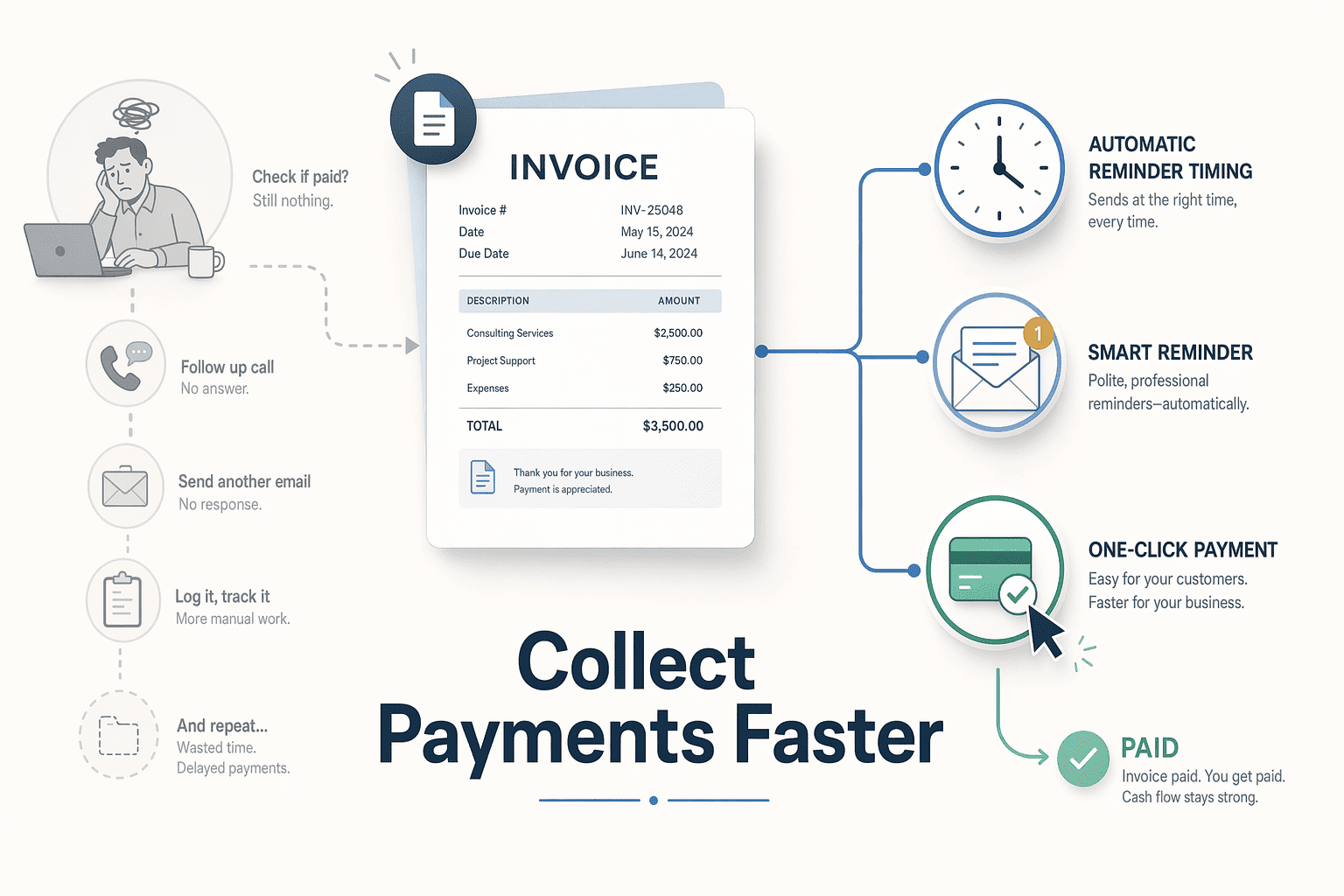
Payment Tracking and Overdue Reminders Swipe enables professional invoice creation, payment tracking, and overdue reminders. The app's automated reminder sequence follows industry best practices: pre-due reminders 3 to 5 days before the due date reduce late payments by 15 to 25%, day-of reminders provide a final courtesy nudge, and overdue reminders escalate at 3, 7, and 14 days past due. Swipe sends these reminders via WhatsApp, Email, and SMS, so business owners don't need to manually chase payments or remember follow-up dates.
Payment status updates sync in real time across devices. When a customer pays via UPI or online payment link, the invoice status changes from "Pending" to "Paid" instantly, no manual reconciliation needed. This visibility helps businesses prioritize which clients need follow-up and which invoices are already settled.
Pricing and Best-For Scenarios Swipe offers a free plan with unlimited invoices, clients, payment tracking, and basic reports, no invoice-count caps or feature lockouts. The free tier includes GST compliance, WhatsApp sharing, and automated reminders, making it suitable for solo freelancers and micro-businesses with straightforward billing needs. Paid tiers add recurring invoices, bulk tools, advanced reports, and e-invoicing, priced for growing businesses that need multi-warehouse inventory or subscription billing.
Best for: Freelancers, field-service technicians, and small retailers who spend more time on-site than at a desk. The 10-second invoice workflow and WhatsApp integration excel when billing needs to happen immediately, and accounting depth is secondary to speed. Limitations: Advanced accounting features (multi-currency consolidation, project-based costing, detailed payroll integration) are less strong than Zoho Books. Offline mode works but lacks the sync reliability of Vyapar for businesses in low-connectivity areas. Swipe prioritizes invoice speed over thorough bookkeeping, businesses needing deep financial reporting may outgrow the platform as they scale.
Sign up for free to start creating 10-second invoices and collecting payments via WhatsApp today.
For businesses where the speed of invoice creation directly impacts customer experience and payment collection, workflow efficiency becomes the deciding factor.
How to Choose the Right Mobile Billing App for Your Business Match Your Workflow to App Strengths Selecting the right mobile billing app requires matching your business workflow to platform capabilities. Use this decision framework:
Field services and low-connectivity environments : Prioritize offline mode. Vyapar's field-optimized architecture allows invoice creation without internet access, key for on-site work.Multi-device teams : Prioritize cross-platform sync. MyBillBook delivers consistent experiences across mobile, desktop, and tablet, enabling team collaboration.Full accounting requirements : Prioritize thorough features. Busy Accounting integrates invoicing with inventory management, financial reports, and GST compliance for traders and manufacturers.Speed and WhatsApp payment collection : Prioritize streamlined workflows. For businesses that need fastest invoice creation and instant payment links, platforms like Swipe deliver mobile-first experiences.For businesses above the GST e-invoicing threshold, pre-validation features reduce IRP rejection risk, platforms with built-in compliance checks prevent common filing errors before submission.
Free vs Paid: When to Upgrade Most mobile billing platforms offer free tiers with invoice limits. Vyapar, myBillBook, and Swipe provide free plans suitable for low-volume businesses. Upgrade triggers include:
Invoice volume : Free plans typically cap at 50 invoices per month. Businesses exceeding this threshold require paid tiers.Multi-user access : Free plans restrict team collaboration. Growing businesses need paid plans for staff roles.Advanced reporting : Paid plans unlock detailed financial analytics and export capabilities key for accounting workflows.Evaluate your monthly invoice count and team size against free tier limits before committing to a platform. Learn more about small business accounting solutions .
Conclusion Mobile-only platforms like Vyapar deliver strong offline capabilities but lack desktop interfaces for detailed reporting, multi-platform options like myBillBook and Zoho Books sync mobile invoices to desktop for full accounting workflows. Speed-optimized platforms like Swipe create invoices in under 10 seconds but offer fewer advanced accounting features than thorough platforms like Zoho Books, choose based on whether you need invoice-only speed or full accounting depth.
As WhatsApp Business API adoption grows and offline-first architectures mature, expect mobile billing platforms to integrate deeper payment collection workflows like UPI autopay and QR code generation, plus real-time GST reconciliation directly within messaging apps, reducing the gap between invoice creation and payment receipt from days to minutes.
Try Swipe's free mobile invoice creation to experience sub-10-second invoicing and WhatsApp sharing, no credit card required. Test the streamlined workflow that lets you bill customers on-site before leaving the job location.
Frequently Asked Questions What is the best free mobile billing software for small businesses in India? Vyapar, myBillBook, and Swipe are the top free options for mobile billing. Vyapar offers unlimited invoices on a single device, myBillBook provides multi-platform cloud sync with free tier limits, and Swipe delivers the fastest invoice creation with WhatsApp sharing. Choose based on whether you need offline capability (Vyapar), multi-device access (myBillBook), or speed (Swipe).
Can I create GST-compliant invoices on my mobile phone? Yes, all five platforms, Vyapar, myBillBook, Zoho Books, Swipe, and TallyPrime, support GST-compliant invoicing on mobile, including e-invoice generation and GSTR filing. These mobile apps handle FORM GST INV-01 submission to the Invoice Registration Portal directly from your phone, ensuring real-time compliance for businesses above the e-invoicing threshold.
Which mobile billing app works offline? Vyapar is the strongest offline option, allowing full invoice creation, inventory updates, and GST calculations without internet connectivity. The app syncs data automatically when connection resumes, solving critical pain points for field services and rural retail. Swipe and myBillBook offer limited offline features but require connectivity for e-invoice validation and cloud sync.
How do I share invoices via WhatsApp from my mobile phone? Swipe, myBillBook, and Vyapar support direct WhatsApp sharing from the mobile app. After creating the invoice, tap 'Share via WhatsApp' to send a PDF to your customer instantly. This workflow provides instant notifications and read receipts, accelerating payment collection compared to email-attachment workflows.
What is the fastest mobile billing app for creating invoices? Swipe is the fastest option, creating invoices in less than 10 seconds through streamlined mobile workflows with pre-filled customer data, touch-optimized inventory lists, and automatic GST calculation. The platform eliminates multi-screen navigation, allowing businesses to bill customers on-site before leaving the job location, reducing forgotten invoices and accelerating payment collection.
Do I need separate software for mobile invoicing and desktop accounting? No, multi-platform options like myBillBook and Zoho Books sync mobile invoices to desktop automatically, eliminating the need for separate software. Cloud-based architecture ensures invoices, inventory updates, and payment records sync in real-time across devices. Mobile-only platforms like Vyapar on the free tier lack desktop interfaces, requiring manual export for detailed reporting.
How do automated payment reminders work on mobile billing apps? Platforms like Swipe and myBillBook trigger automated reminders via email, SMS, or WhatsApp based on due dates and overdue thresholds. Best-practice timing includes reminders three days before due date, on due date, and seven days after overdue. MyBillBook's mobile app integrates these reminders with GST e-invoice workflows, ensuring compliance while reducing manual follow-up effort.
Sources Best billing and invoicing software of 2025 - www.techradar.com (2025)WhatsApp invoicing / expenses for small businesses - Reddit - www.reddit.comBest GST Billing Software for Small Business in India (2026) - www.astrastudio.in (2026)Best Billing Apps in India 2026 — Small Shops - wiseventory.com (2026)Troubleshooting Common Errors - IRIS IRP - einvoice6.gst.gov.inReason for rejection of e-Invoice and resolutions - Tally CA Community - community.tallysolutions.comPayment Reminder Best Practices — Templates & Timing - invoiceblitz.com (2026)20 Best Billing Software in India (2026) | Features & Reviews - softwaresuggest.com (2026).png)



.png)
.png)
.png)
.png)
