8 Best Tools to Send Invoices Through WhatsApp in India (2026) Introduction You scribble a sale in a dog-eared notebook and spend Sunday evening typing it into a desktop billing tool. Then you screenshot the PDF and WhatsApp it manually. By the time the customer pays, you have lost the thread of three other orders. That friction costs Indian small businesses real money every month.
The fix is already in your phone. WhatsApp-native invoicing tools now let you generate a GST-compliant bill, complete with HSN codes and a UPI payment link, and deliver it directly into your customer’s chat. No separate app, no email ping-pong. India’s WhatsApp Business user base has crossed over 20 million monthly active users , so your customers are already there.
This article walks you through seven tools that turn WhatsApp into your billing desk. You will see options built for pure chat speed (think Hindi voice-note to PDF), suites that file GSTR-1 directly, and platforms that blast hundreds of invoices with delivery tracking. The shortlist starts with Swipe, InvoiceBhai, Zeno, Zoho Invoice, BharatBill, InvoiceIndia, and Vyapar. Key Takeaways Here is the quick verdict on which WhatsApp invoicing tool fits your workflow:
For instant micro-business bills: InvoiceBhai turns a Hinglish text like "Ramesh ko 3 cotton packs bheja" into a GST PDF inside WhatsApp in under 60 seconds and supports 40+ Indian languages.For end-to-end GST filing: Swipe combines free invoicing, inventory tracking, and direct GSTR-1 filing, then lets you share the bill on WhatsApp as a final delivery step.For automated payment recovery: Zeno sends automatic payment reminders on days 3, 7, 15, and 30 and embeds a zero-fee UPI QR code on every invoice to chase down late payers.For high-volume distributors: BharatBill handles bulk uploads and batch WhatsApp delivery with status tracking, turning the app into a receivables distribution channel.For full-scale accounting: Zoho Invoice offers customizable GST templates and direct GSTR-1 API filing, with WhatsApp sharing as one delivery arm alongside email and SMS.1. Swipe: The Complete GST Billing & WhatsApp Sharing App for Indian Businesses Swipe is the closest thing to an all-in-one billing command center that still lets you push invoices through WhatsApp with one tap. The platform covers invoicing, purchase orders, quotations, inventory tracking, and payment collection, and it claims you can create any of these documents in less than 10 seconds. Once the bill is ready, the WhatsApp share button sits right in the workflow.
The feature that pulls Swipe ahead of WhatsApp-only bots is its direct tax filing capability. The software can instantly generate GSTR-1 and 30+ reports from your invoice data, and it produces e-way bills that are portal-ready from your phone. For a business managing 200 transactions a month, that means reconciliation does not become a separate weekend project. The free plan includes unlimited invoices and PDF sharing, which makes the compliance depth accessible even before you commit to a paid tier.
If you are a physical goods trader who also needs inventory tracking, the multi-currency and stock-management features reduce the number of apps you have to juggle. The Business plan adds recurring invoices and bulk client uploads, so you are not re-entering the same wholesale buyer list every billing cycle. The trade-off is that Swipe is an app-first experience: you open the software, create the invoice, then send it. It is not the pure chat-first speed of describing a sale to a WhatsApp bot, but it rewards you with a full tax picture that a bot alone cannot give.
2. InvoiceBhai: The Dedicated WhatsApp Bot for Instant Invoice Generation InvoiceBhai is the right answer when the only thing standing between you and a paid invoice is a WhatsApp message. You do not download an app. You message the bot, type something like "Ramesh ko 3 cotton packs bheja, 1500 ka ek," and it generates a GST invoice PDF in under 60 seconds. That chat-first workflow cuts out every menu, dropdown, and form field that usually lives between a sale and a bill.
The bot handles the compliance heavy lifting automatically. When you type "chandelier," it maps the item to HSN code 9405 without any manual lookup. Specify "18% GST," and it splits CGST and SGST (or IGST, depending on the place of supply) correctly inside the PDF.
A UPI payment link sits right on the generated invoice, so your customer can pay from the same chat screen. You get 5 free invoices per month with no expiry and no credit card requirement, and the paid plan starts at ₹149 per month on the launch discount. The 40+ Indian language support means a trader in Nashik can narrate a sale in Marathi and still produce an English-language GST bill for the auditor.
This extreme simplicity comes with a ceiling. InvoiceBhai lives entirely inside the WhatsApp chat thread, which means you sacrifice the dashboard view, inventory tracking, and direct GSTR-1 filing that a fuller platform provides. The tool is built for the sole proprietor or micro-retailer who generates perhaps 50 to 100 bills a month and values speed over every other feature. For that user, the 60-second claim is not a marketing line; it is the difference between billing a customer while they are still standing at the counter and losing the sale to a competitor who asks for payment faster.
3. Zeno: Automated Invoicing and Persistent Payment Recovery on WhatsApp Zeno turns WhatsApp invoicing into a receivables engine. You describe a sale in plain Hindi , English, or Hinglish, and the platform creates a GST invoice, generates a UPI QR code, and sends it to your customer on WhatsApp instantly. The invoicing side works much like InvoiceBhai, but Zeno's reason for being on this list is what happens after the bill lands in your customer's chat.
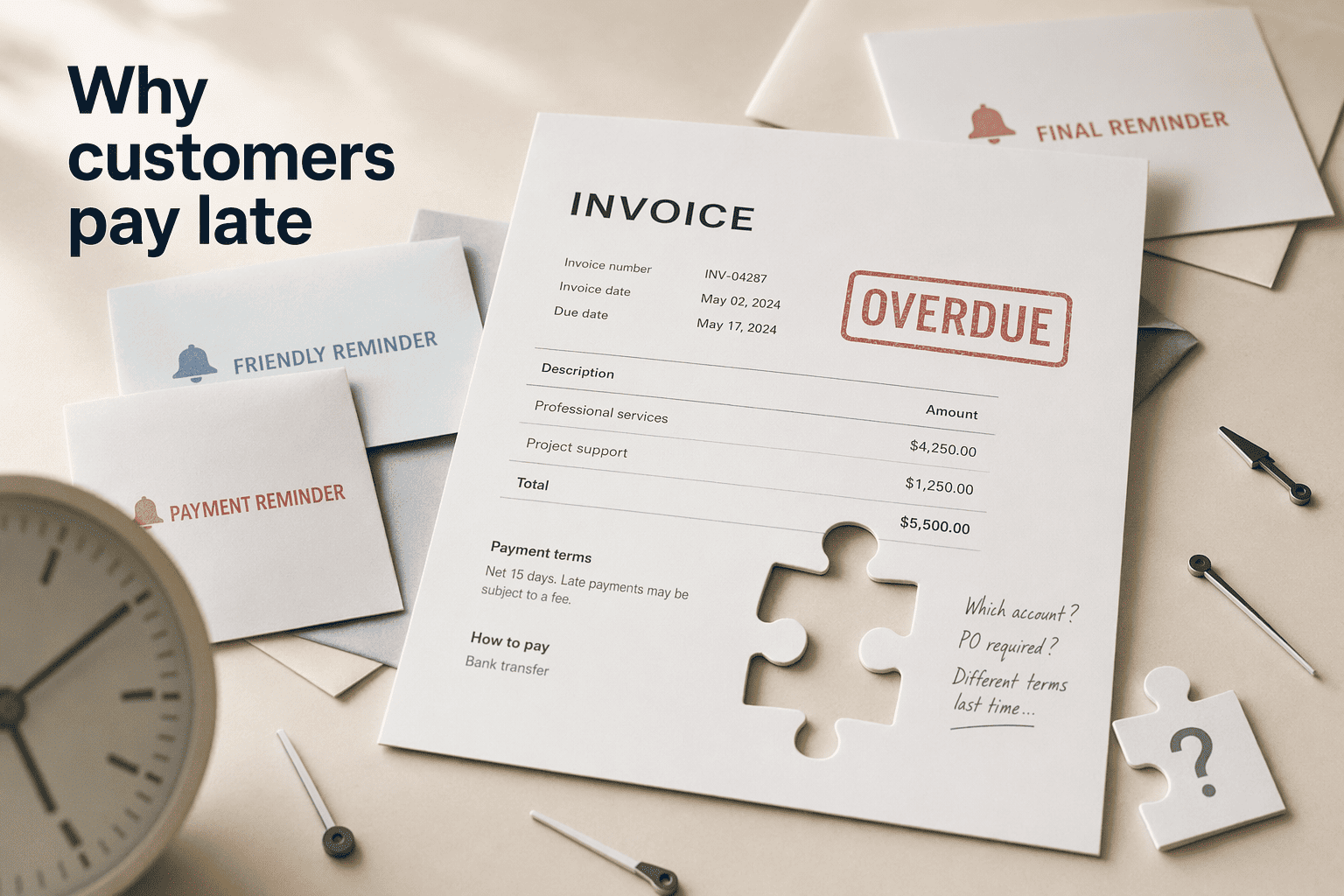
Cash flow dies in the gap between "invoice sent" and "payment received." Zeno fills that gap with an automated reminder cadence that you do not touch. The system automatically reminds your customer on days 3, 7, 15, and 30 after the invoice becomes overdue.
You do nothing. For a small business owner who would rather not play the awkward collections agent role, this persistent but automated follow-up recovers money that otherwise leaks into the "will pay later" void. The zero-fee UPI QR code on every invoice removes friction on the payment side; note, however, that when a customer pays via the integrated UPI link, a 2.596% payment gateway fee (Razorpay) applies on that specific collection method.
The Pro plan costs ₹499 per month or ₹4,499 per year, which includes unlimited invoices, all reports, and priority support. Zeno also offers a free tier of 30 invoices with no time limit and no credit card required, which means you can test the full reminder engine on real receivables before committing. A subtlety worth noting: the Free plan's reminder schedule starts on day 1, while the Pro plan's published cadence begins on day 3. The difference is small, but if same-day nudges matter to your cash cycle, check which schedule you are activating.
Zeno is the tool you pick when your primary problem is not creating invoices; it is getting paid for the ones you already sent.
4. Zoho Invoice: Powerful GST Filing Engine with WhatsApp Delivery Zoho Invoice is the heavyweight accounting suite that happens to offer WhatsApp as a delivery channel. The platform is free GST invoicing software for small businesses that streamlines the full cycle: customizable invoice templates with auto-calculated CGST, SGST, and IGST, online payment acceptance, and expense tracking. WhatsApp sits in the share menu as a PDF delivery option alongside email, SMS, and iMessage, which means you get the chat convenience without sacrificing the web-based control panel.
The differentiator is compliance depth. Zoho Invoice enables direct GSTR-1 filing via API from within the platform, not just a downloadable report you upload elsewhere. For a business that files monthly returns and handles both B2B and B2C transactions with varying place-of-supply rules, the API filing removes a manual step that often introduces errors.
Zoho Payments integrates as the UPI collection layer, though it routes through standard payment gateways rather than providing the zero-fee QR approach that Zeno offers. The template language defaults to English, and while regional-language invoice templates exist, the core interface does not accept a Hindi voice-note instruction the way InvoiceBhai does. You are creating the invoice inside a full-featured web or mobile app and then choosing WhatsApp as the send method.
Zoho Invoice fits an established business that already needed proper accounting and government filing. WhatsApp delivery is a convenient add-on to that workflow, not the center of it. Choose this when compliance and scalability matter more than the pure speed of a chat-first bot. A retailer with a dedicated billing desk will find the customizable templates and tax automation more valuable than shaving 30 seconds off the creation process.
5. BharatBill: The New-Age Platform for Bulk WhatsApp Invoicing at Scale BharatBill treats WhatsApp invoicing as a distribution problem, not a creation task. The platform is built for bulk. You upload a batch of clients and products, it generates GST-compliant invoices, and dispatches them via WhatsApp in volume with delivery status tracking .
Here is the workflow, broken into its primary components:
Bulk upload engine: Import client and product lists in a single file. This removes the per-invoice data-entry bottleneck that chokes mid-sized distributors at month-end.Batch WhatsApp dispatch: The platform sends invoices through the WhatsApp Business API. It uses the chat app as a delivery channel for hundreds of bills, not one-at-a-time messaging.Delivery tracking dashboard: Each invoice gets a send-status marker (delivered, read, failed). Your billing team sees which customers actually received the bill and which need an alternative channel.Scale-first architecture: Built on WhatsApp Business API patterns similar to those documented by Infobip for WhatsApp Payments in India, the platform is designed for consistent high-volume throughput.A wholesaler supplying 50 kirana stores daily does not have time to type 50 individual sales descriptions into a chat bot. BharatBill turns that receivables pipeline into an upload-and-send operation. The tracking alone justifies the shift from manually forwarding PDFs: you stop guessing whether the invoice vanished into a dead phone number.
6. InvoiceIndia: Simple and Direct GST Invoice Sharing via WhatsApp InvoiceIndia is the lightweight web portal for businesses that want a straightforward GST invoice creator with a built-in WhatsApp send button. The platform is described as India’s very own invoicing solution designed for Indian businesses, generating e-Invoices, e-way bills, and standard invoices from a single interface. Once the bill is created, you can send it directly to customers via WhatsApp.
Feature InvoiceIndia Lighter Alternative Platform type Web portal with WhatsApp sharing Chat-native WhatsApp bot GST compliance E-invoice, e-way bill, and standard invoice support Auto HSN and tax split Monthly invoice cap (basic) 500 E-Invoice/E-way bills 5 free invoices Setup required Portal account creation Zero app download Best for Users who want a dashboard with compliance tools Users who value pure chat speed
The monthly cap of 500 E-Invoice and E-way bills on the basic plans signals that InvoiceIndia targets small businesses that are growing into formal compliance, not the micro-trader who issues 20 bills a month. The e-way bill generation lives inside the same interface as the invoice, which eliminates the separate portal login headache that many business owners complain about.
InvoiceIndia’s WhatsApp integration is a delivery layer, not the creation interface. You build the invoice in the web portal with all the tax fields visible, then hit send. It lacks the hands-free, chat-first magic of a dedicated bot, but for a business that wants to see every CGST line item before it leaves the system, that transparency is an asset.
7. Vyapar: Business Accounting with Integrated WhatsApp Invoice Forwarding Vyapar is the business ledger app that millions of Indian shopkeepers already use for accounting and stock management, and its WhatsApp sharing feature is a natural extension of that workflow. The app creates standard GST invoices for both B2B and B2C transactions with auto-calculated tax splits and HSN codes, then lets you share the PDF instantly via WhatsApp and SMS from the app’s share menu. It is not a WhatsApp-native tool. You create the invoice inside the Vyapar app with all the accounting data behind it (stock adjustments, ledger entries, payment tracking).
The WhatsApp forward button sits in the share options, turning the bill into a customer-ready PDF without any export-import dance.
For a physical shop owner who already runs Vyapar as their daily ledger, this feature eliminates a separate billing tool entirely. The invoice you just created for the customer simultaneously updates your inventory count and your accounts receivable. There is no double-entry and no separate WhatsApp bot learning curve. The trade-offs are the ones you would expect from an accounting-first product: you are not describing a sale to a chat bot; you are filling fields in an app, and the WhatsApp part is strictly a send action. It also means you need to be comfortable operating a mobile accounting interface, which is a reasonable ask for a shopkeeper who tracks stock digitally but might feel heavy for someone who just wants to bill three customers a day.
8. Step-by-Step: How to Send a GST-Compliant Invoice on WhatsApp (Using Swipe) This walkthrough uses Swipe because its workflow illustrates the full cycle that most tools follow. Prerequisites: you need a registered GSTIN and the Swipe app installed (the free plan works for this). Your customer should be on WhatsApp.
Open the billing screen: Launch Swipe and tap "New Invoice." The blank invoice form loads with fields for customer, items, and tax treatment.Add customer and items with HSN codes: Search your saved customer list or enter a new customer name. Add line items; Swipe auto-maps product names to HSN codes as you type, though you should verify the mapping if it is a new product.Verify the auto-calculated tax: Based on the customer's state and your GSTIN registration, the app automatically applies CGST and SGST (intra-state) or IGST (inter-state). Confirm the split matches the actual place of supply before proceeding.Choose WhatsApp as the share method: Once you save the invoice, tap the share icon. Select WhatsApp from the sharing options. The app renders the invoice as a PDF and opens your WhatsApp contact list.Select the customer and send: Pick the customer's WhatsApp number. The PDF lands in their chat with your business name, GSTIN, HSN codes, and tax breakup visible. They can open it, verify, and, if you have embedded a UPI link, pay directly from the chat screen.Conclusion The right WhatsApp invoicing tool depends entirely on what you are optimizing for. Speed and fewer than 50 bills a month? InvoiceBhai’s chat-first, 60-second workflow fits.
Need GST filing and inventory tracking? Swipe packs the compliance suite with WhatsApp as the delivery layer. If your receivables problem is recovery, not creation, Zeno’s automated four-stage reminders recover cash that silence leaves on the table.
And if you are a distributor pushing hundreds of bills into the market monthly, BharatBill’s bulk engine replaces a billing desk. Most businesses will find that the free tiers of Swipe, InvoiceBhai, and Zoho Invoice give enough room to test the workflow before committing to a paid plan.
Frequently Asked Questions Can I send an invoice directly through WhatsApp to my customer? Yes. Several tools built for Indian businesses let you generate a GST-compliant invoice and deliver it as a PDF directly inside a WhatsApp chat. Some, like InvoiceBhai and Zeno, operate entirely within WhatsApp. Others, like Swipe and Vyapar, let you create the invoice in an app and share it via WhatsApp in a couple of taps.
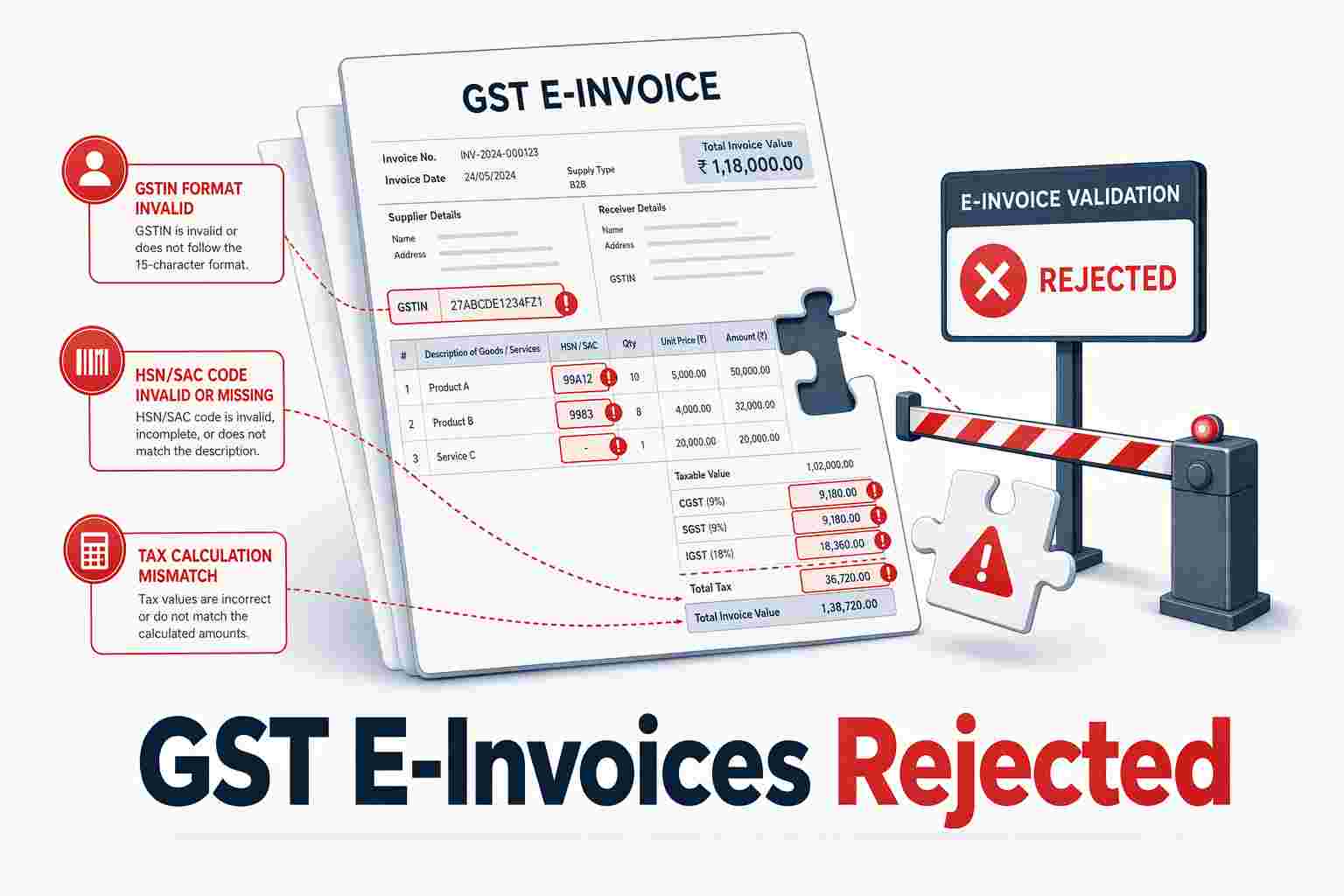
Is sharing invoices via WhatsApp legally valid for GST compliance? Yes, provided the invoice PDF contains all mandatory GST fields: your GSTIN, the customer’s GSTIN (for B2B), HSN codes, the place of supply, and the correct CGST/SGST or IGST split. Tools like Swipe and Zoho Invoice auto-populate these fields and support direct GSTR-1 filing, so the WhatsApp delivery method does not affect the invoice’s legal standing.
What features should I look for in a WhatsApp invoicing tool? To identify the right tool, start with the core invoicing features. Prioritize the following:- Automatic tax calculation: tool must auto-calculate CGST, SGST, and IGST correctly.- HSN code mapping: tool should auto-map items to HSN codes.- UPI payment link embedding: every invoice should carry a click-to-pay UPI link.- Direct GSTR-1 filing: needed if you want to file returns without manual upload (available in Swipe and Zoho Invoice).- Automated payment reminders: choose Zeno if collections are your main challenge.- Bulk delivery tracking: use BharatBill for high-volume distributor workflows.- Multi-language chat input: pick InvoiceBhai if you need to dictate sales in Hindi, Marathi, or other Indian languages.Match the feature set to your monthly invoice volume.
How does sending an invoice on WhatsApp work step-by-step? You describe the sale (via chat for bot-first tools, or via an app form for platform-first tools), the software calculates the correct GST and generates a PDF, and you send that PDF to the customer’s WhatsApp number. Chat-first tools like InvoiceBhai require zero app download; app-first tools like Swipe require you to create the invoice inside the app before sharing.
What invoicing apps integrate with WhatsApp in India? InvoiceBhai and Zeno are chat-native bots. Swipe, Vyapar, Zoho Invoice, InvoiceIndia, and BharatBill are platform-first apps that include WhatsApp as a PDF delivery option alongside email and SMS. Your choice depends on whether you prefer creating invoices inside a chat thread or inside a full-featured billing dashboard.
Is it safe and secure to send invoices over WhatsApp? WhatsApp uses end-to-end encryption for messages, so the invoice PDF is encrypted in transit. Tools like Swipe state that data is encrypted and kept private. The primary security consideration is not the transmission method but ensuring your invoicing tool securely stores customer data and GSTIN records on its servers.




.png)
.png)
.png)
.png)
.png)