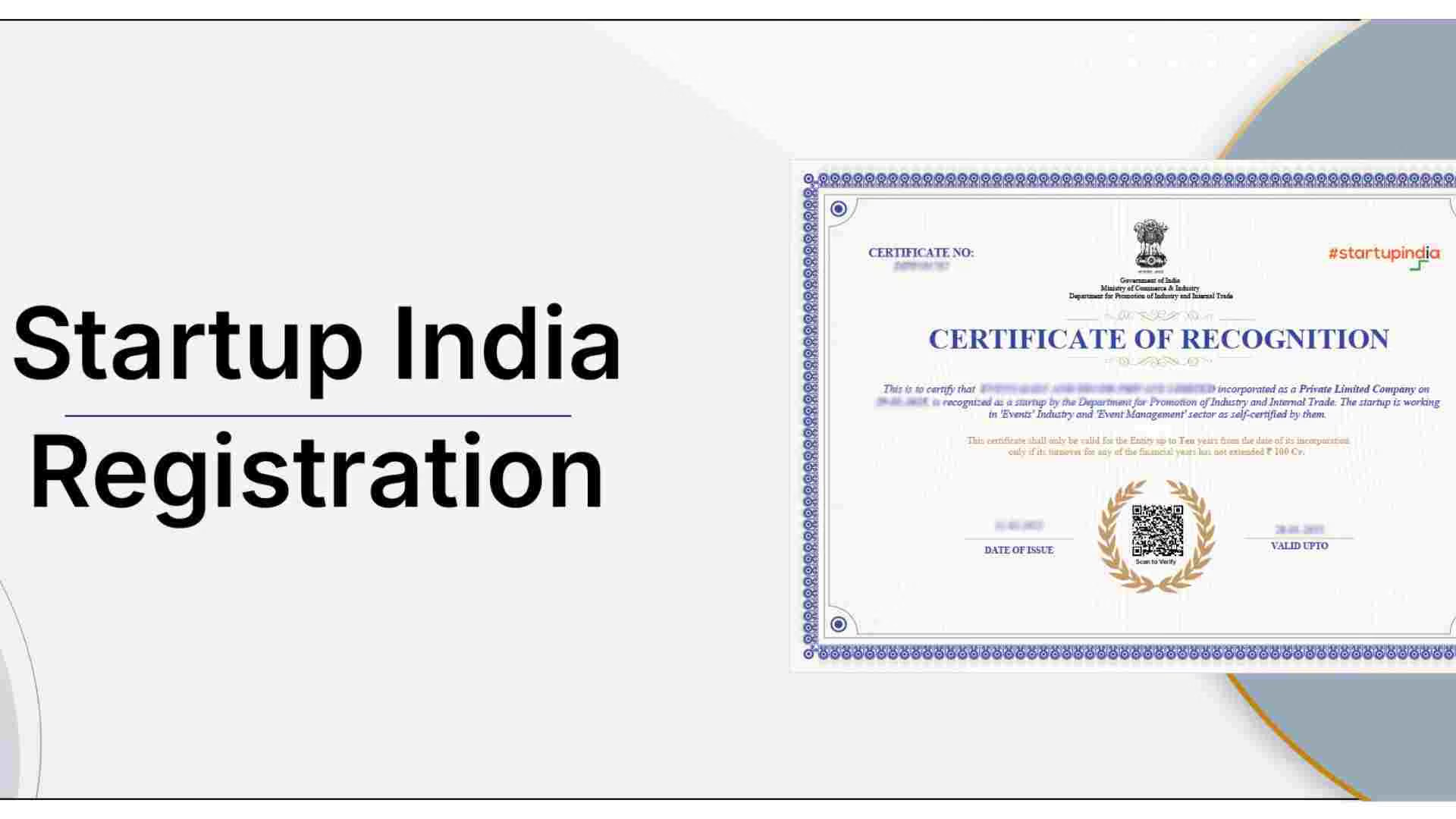
How to Download DPIIT Certificate Online: Step-by-Step Guide for Startups Downloading the DPIIT Certificate online after your startup receives DPIIT recognition is a simple and hassle-free process. However, many new entrepreneurs often face confusion about where to log in and which dashboard to use to check the certificate status. This guide clearly explains how to download the DPIIT certificate online , with step-by-step instructions to help startups quickly locate, access, and download their DPIIT Recognition Certificate without any complications. What Is a DPIIT Certificate? The Department for Promotion of Industry and Internal Trade (DPIIT) provides the DPIIT Certificate to Startups that have been granted official recognition under the Government's Startup India initiative.
After obtaining the certificate, Startups can now access a range of Government benefits, including tax exemptions, financial backing, simplified regulations, and opportunities for Government contracts.
Who Can Download the DPIIT Certificate? The DPIIT certificate can be downloaded when:
1. The startup is registered on the Startup India website.
2. The DPIIT has granted its recognition to the startup.
3. The startup has received a written confirmation of approval.
4. The DPIIT has neither denied nor rejected the entrepreneur's application.
If the entrepreneur's application still shows "Under Examination", then the startup will not be able to get the certificate yet.
Documents Required Before Downloading DPIIT Certificate To obtain your certificate, you do not have to upload any documents again. However, please ensure that:
1. You have registered your email ID and password on the Startup India portal.
2. You can access the Internet (it is recommended to use a desktop or laptop).
3. You have already approved the details on your Startup Profile.
Step-by-Step Process to Download DPIIT Certificate Online Step 1: Startup India Portal To get started, go to the official Startup India website and click on the Login button.
Step 2: Log In Once the login page loads, enter the registered email address and password that you used during your DPIIT registration.
Step 3: Go to Your Dashboard Upon logging in, you will be redirected to your Startup India Dashboard.
Step 4: Click on the DPIIT Recognition On the Dashboard menu, locate and click on the DPIIT Recognition link (also known as the Recognition Certificate).
Step 5: Check Application Status Check your Application Status; if the status is shown as “Recognised” or “Approved,” then your DPIIT Certificate is available for download. If your application status is shown as Pending or Under Review, you will not be able to download the certificate.
Step 6: Download the DPIIT Certificate Once the Application Status is approved, you will see the Download Certificate button. Clicking this button will instantly download the PDF of your DPIIT Certificate.
What Details Are Mentioned on the DPIIT Certificate? The DPIIT Recognition Certificate will include the following:
1. Startup name.
2. DPIIT recognition number.
3. The date the startup received DPIIT recognition.
4. The startup's classification or category (please select).
5. Official Government QR Code (or signature).
It serves as evidence that the startup is recognised by DPIIT.
How Long Does It Take to Get a DPIIT Certificate? It typically takes between 2-7 Working Days for the Certificate to be reviewed by the Department.
1. In some cases, the time frame for completing reviews is up to 15 Working Days.
2. When your application is approved, you will receive an email with instructions to download the Certificate.
3. There are no additional fees associated with the download of the DPIIT Certificate.
Common Problems While Downloading DPIIT Certificate (And Solutions) 1. Is your Certificate not displaying in the Portal?
Your certificate may still be under review until you receive your Approval email.
2. Have you forgotten the login password for your Portal account?
Click on the “Forgot Password” link located on the Startup India Portal.
3. Is your Dashboard Not Loading Correctly?
Delete your browser’s Cache, or try a different Web browser.
4. Is your downloaded Certificate Blank?
Re-download the Certificate using Desktop Browser Only (Google Chrome is recommended).
Why Is the DPIIT Certificate Important? The importance of downloading and saving the DPIIT certificate can be seen through the use cases of:
1. Apply for Startup India Tax Benefits.
2. Apply for Angel Tax (through an application to the Government of India).
3. To have evidence of eligibility for Government Grant Schemes.
4. To qualify for Startup Fund Programs through the Startup India Program.
5. To qualify for Startup Incubator & Accelerator support.
6. To obtain Micro, Small and Medium Enterprises (MSMEs) Support & Bank Loan Support.
Many investors and banks also request a copy of this certificate as proof of legitimacy.
Is the DPIIT Certificate Valid for a Lifetime? Yes, once granted, the DPIIT Recognition Certificate has no expiration date unless a violation of the Startup India eligibility requirements occurs.
Final Words It is easy to obtain your DPIIT certificate after receiving approval as a recognised startup via the web. As such, you should always download, keep a PDF version of your certificate, and print an original copy of the certificate, so that you may use the certificate when needed for funding/voucher processes and for claiming government support and benefits as a start-up.
If you cannot access your certificate after waiting for a period of time, please try to contact either the Startup India portal or the DPIIT office with an inquiry regarding your request for an official certification.
CTA for swipe: Managing DPIIT recognition, compliance documentation, and ongoing startup filings can be time-consuming—especially when you are focused on growing your business. Swipe helps startups streamline their compliance, accounting, and documentation processes on a single platform. From managing startup registrations to handling tax filings and financial records, Swipe ensures that your compliance stays organised, accurate, and stress-free.
FAQs 1. What is a DPIIT certificate? The Department for Promotion of Industry and Internal Trade provides a DPIIT certificate to the Startup India Initiative’s recognised Startups.
2. Where can I download my DPIIT certificate? You can download the DPIIT Certificate through the Start-Up India Portal. Log in to your registered account, and click on the DPIIT Recognition tab in your dashboard.
3. Is there any fee to download the DPIIT certificate? Downloading the DPIIT Certificate is completely free; therefore, there are no fees for downloading the certificate whatsoever.
4. Why am I unable to see the download option for my DPIIT certificate? If you cannot see the download option, it may be because your DPIIT Certificate application is still under review or pending approval. The Download Option will be made available for download only after your recommendation has been approved.
5. How long does it take to get the DPIIT certificate after application? DPIIT Recognition will generally be approved in a period between 2-7 days from the date of application; in some instances, you may have to wait up to 15 days for the application to go through the verification process.