Home
Product
Pricing
Download App
Contact
Sign Up
Help Center
New
By
Swipe
on
May 22, 2025
Blog |
Explore GST
|
Basics of GST
Sign Up for Free >
Featured Posts
Everything About SFURTI Scheme for Traditional Industries
A Complete Guide to Section 143(1) of Income Tax Act
Rule 114E: Key Highlights for Tax Compliance
Rule 115 of Income Tax Rules: Important Points for Taxpayers
Difference between a Cheque and a Demand Draft
Enterprise compliance software in India: Billing, invoicing, & GST solutions explained.
GST Rates and 0910 HSN Code for Ginger, Saffron, Turmeric, Thyme, Bay Leaves, and Curry
Impact of GST on the FMCG Sector
You might also like
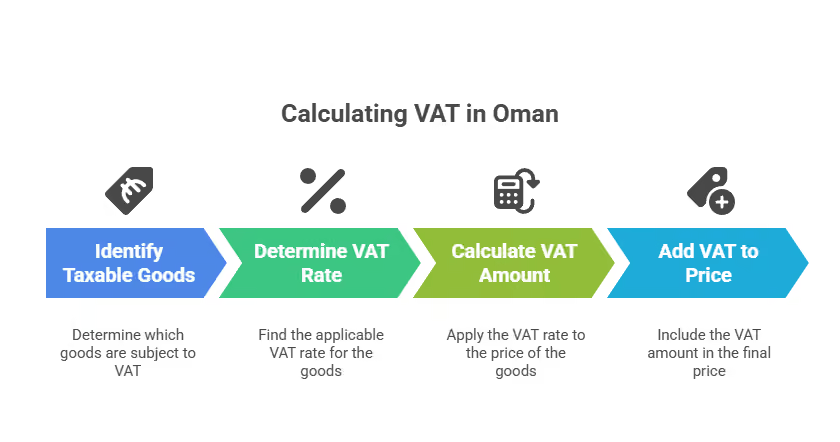
How to Calculate VAT in Oman: Step-by-Step Process, Formula & Example for 2025
Explore the step-by-step process of how to calculate VAT in Oman in this guide, including examples and tips to ensure accurate tax compliance for your business.
Understanding Consumer Protection Laws for Buyers
Learn key consumer protection laws, the rights of buyers, and how to file complaints under the Consumer Protection Act, 2019. Stay informed and shop safely.
CGST Rule 86B: Understanding the Restriction on Using Amount in Electronic Credit Ledger
Learn about CGST Rule 86B, which restricts the use of Input Tax Credit in the Electronic Credit Ledger. Understand its applicability, exemptions, and impact on GST compliance for businesses.
© 2026 Nextspeed Technologies. All rights reserved.
Privacy.
Join community.
%20(1).png)

.webp)
.webp)
.webp)
.webp)
-compressed.avif)

-compressed.jpg)
